Finding Pieces of Work
If you have many uncut pieces and find it difficult to search for a suitable piece, the Find Piece feature helps you look for the pieces that match a run which you are working on.
-
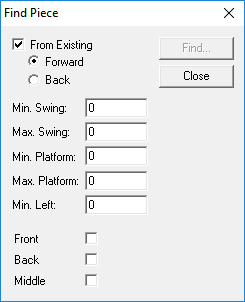
Click Runcutting > Find Piece.
The Find Piece dialog box appears.
The From Existing and Forward options are selected by default
- Type appropriate values in each of the fields (except Min. Left if not applicable).
-
Depending on the service hours that you want, select the appropriate check box; the
options refer to the service hours within a workday. (They are usually broken up depending
on the block profile.)
- Front: for the hours from early morning to mid-morning
- Back: for the hours from late afternoon to end of service
-
Middle: for the hours from mid-morning to mid-afternoon
-
Click Find.
The Select Piece dialog box appears.
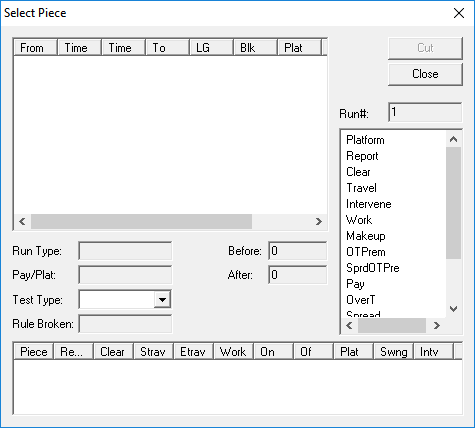
The pieces that match the values you typed in the Find Pieces dialog box appear in the left frame. When you select a piece in this frame, the statistics of the selected piece appear in the lower right and bottom frames.
- Select a piece that best matches your requirements.
- In the Run# field, type a number for the selected piece.
-
Click Cut.
The selected piece is added to the Cut Pieces grid.
- If you need more pieces, repeat steps 5 to 7.
- Click Close.
- Click Close in the Find Piece dialog box.