Place text in quotation marks for exact match search results.
Performing Automatic Runcutting
Using Automatic runcutting by choosing the following options.
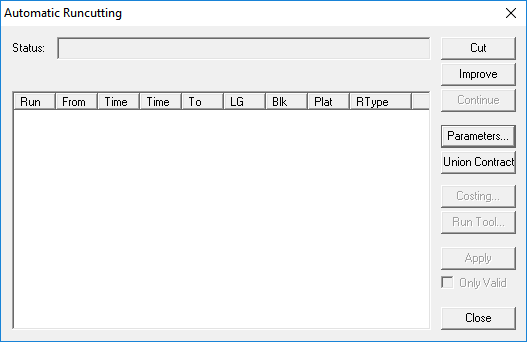
Click Runcutting > Automatic Runcutting.
The Automatic Runcutting dialog box appears.
To set your parameters, click Parameters.
The Automatic Runcutting Parameters dialog box
appears.
Select the appropriate parameters, and then click OK.
In the Automatic Runcutting dialog box, click
Cut.
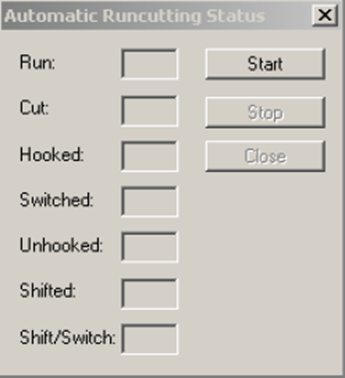
The Automatic Runcutting Status dialog box appears.
Click Start.
The statistics associated with the runs cut appear beside the applicable
fields.
Optional: To stop the runcutting, click Stop, and then click
Close.
To see the costing summary of the run cuts, click Costing in the
Automatic Runcutting dialog box.
The Costing dialog box appears.
To apply only the runs that are legal, select the Only Valid check
box. If this is not selected, then all runs including the illegal ones are saved with a
run number.