
Viewing Trip Statistics
Trip statistics provide a statistical summary of the trips on a particular line.
-
Click .
The Trip Statistics dialog box appears.
- In the Service list, select the service whose trip statistics you want to view.
- In the Line list, select the line whose trip statistics you want to view.
-
Click Display.
The statistics on the trips of the selected service and line appear.
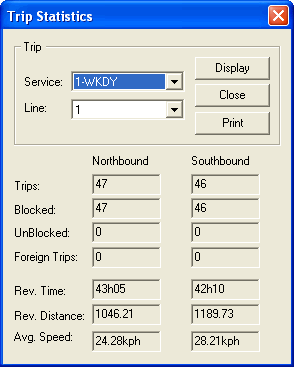
The Rev. (Revenue) Time and Rev. Distance fields refer to the time and distance of the trips when they are expected to be carrying passengers. The Foreign Trips field refers to trips that are interlined with another line group.
- Optional:
To print a copy of the report, click
Print.
The report appears on the screen in a text editor.
- Edit the appearance of the report if necessary, and click .
- Click Close.