
Building Trips Without Patterns and Run Times
Trip building without patterns and run times is a more time-consuming approach because it means typing the field data on to the grid and manually determining the trip schedule.
- Set the correct context (for example, line) with which you want to work.
-
With the Trips tab displayed, click the Edit button:
 The Edit dialog box appears.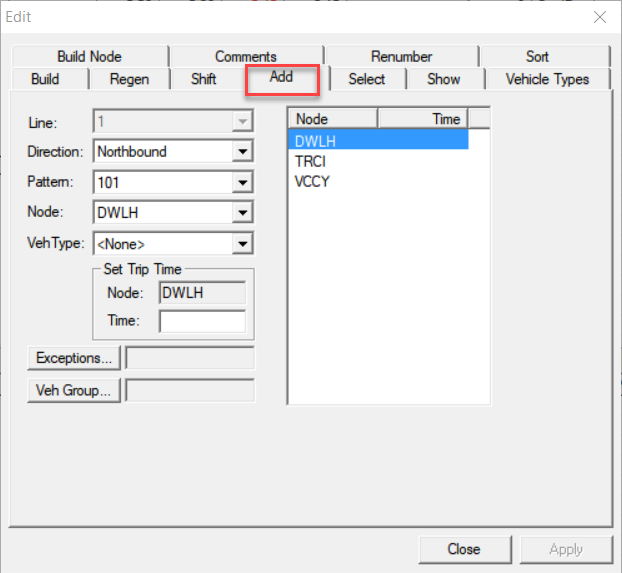
The Add and Sort tabs are not available in the Edit dialog box when in Block Mode.
- On the Add tab, select the appropriate direction from the Direction list.
- To change the build node, select the node you want from the Node list.
-
From the list of nodes on the right frame, select a node for which you want to set the
time.
The node appears in the Node field in the Set Trip Time frame.
- In the Time field of the Set Trip Time frame, type a time. If this is the first node in the pattern, type the start time and if it is a node along the route, type the expected time of arrival from the previous node.
- Click the Node field or anywhere on the right frame.
- To move to the next node, click the next node or if you are in the Time field press the Up or Down arrow keys on your keyboard.
- Optional: For all nodes for which you want to type a time, repeat steps 6 to 8.
-
Click Apply.
The Pattern fields of the trips are empty and a question mark appears in the INT column because there are no patterns and run times for which to check integrity.
- Click Close.
-
To prevent changes being made on the trips built, apply the
Freeze option.
The Frz column displays check marks for the selected trips that have been frozen.