
Arranging Tabs
Screens are typically shown as tabs arranged in layers. However, you can also choose to show screens vertically or horizontally.
-
Select the tab to change, press and drag the left mouse button until a paper
icon appears (
 ), then release.
A menu appears.
), then release.
A menu appears.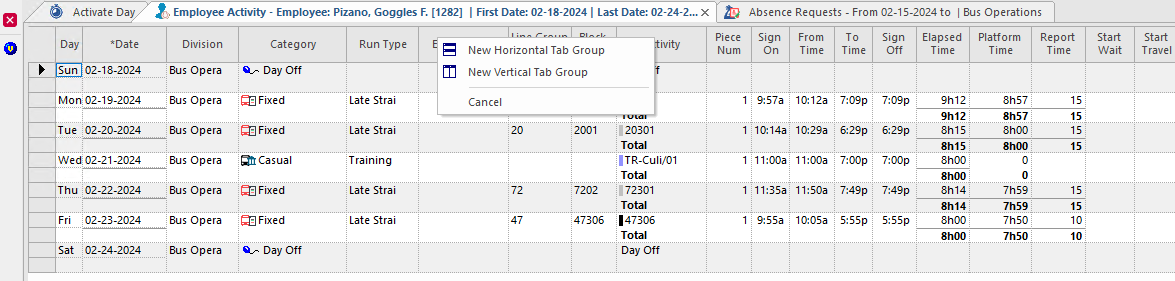
-
Choose one of the following:
- New Horizontal Tab Group. The screens are
stacked on top of one another.
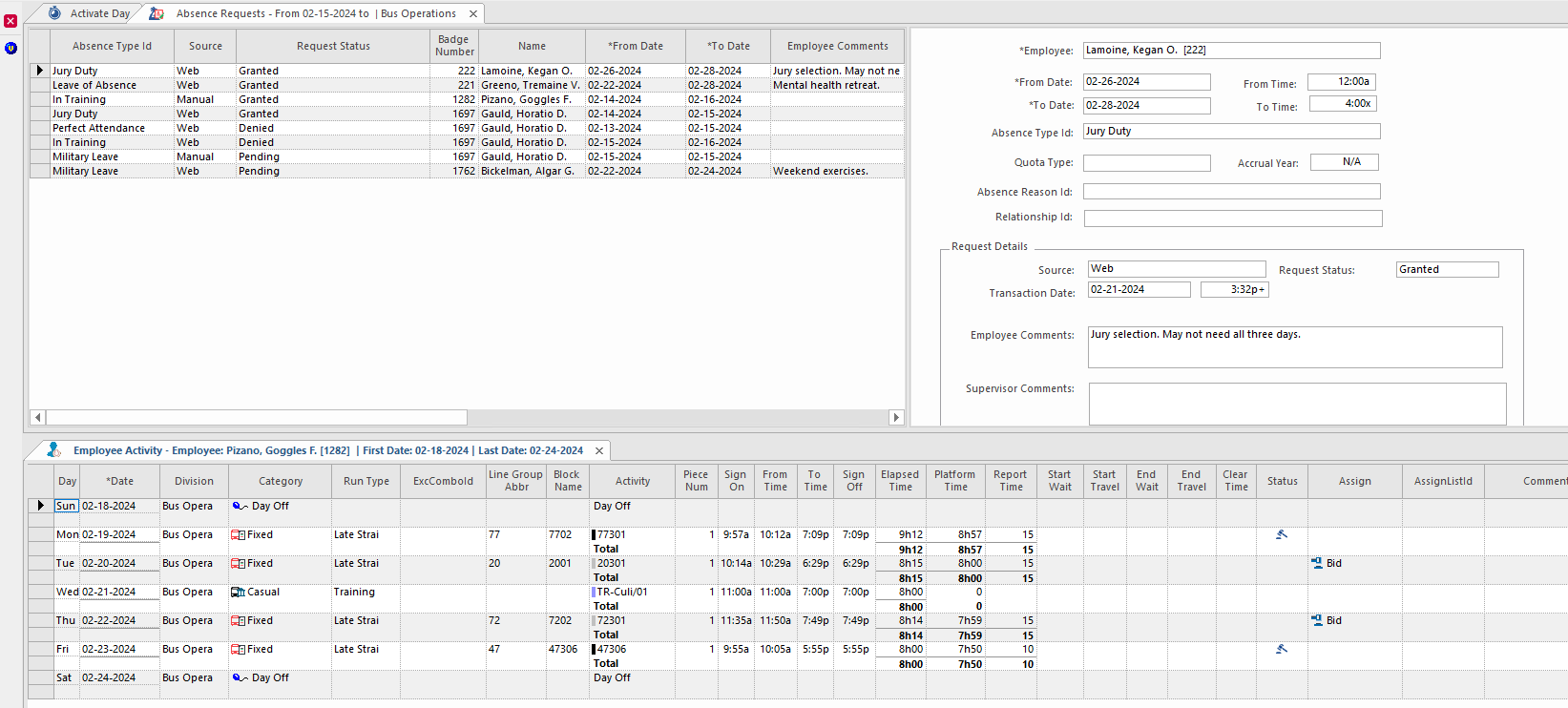
- New Vertical Tab Group. The screens are
arranged beside one another.

- Cancel. No change is applied.
- New Horizontal Tab Group. The screens are
stacked on top of one another.
-
Repeat these steps to arrange the other tabs as required.
The menu will only show the option you selected for the first tab.