
Applying Exceptions to Selected Trips
You can assign exceptions to some trips that operate under special conditions after building the trips.
-
Click .
The EXC (Exceptions) column is added before the Node columns in the left section of the grid.
-
On the Trips grid, click the Exc field of the trip to
which you want to add an exception.
The Exceptions dialog box appears.
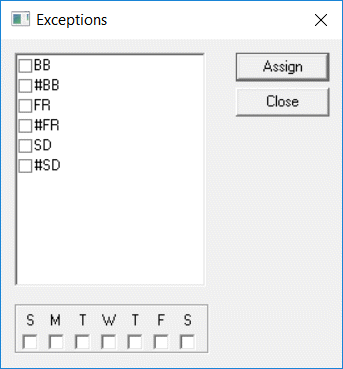
- Select exceptions you want.
- Select the days of the week when you want the exceptions applied.
- Click Assign.
- Optional: To remove an exception or a day that you have assigned, clear the check box and click Assign again.
- Click Close.