
Shifting Trip Times
After building your trips, you can shift trip times at certain nodes, such as if you want to have more time between trips to enable passengers to make their transfers.
- On the Trips grid, select the trips whose trip times you want to shift.
-
Click the Edit button:

The Trips Edit dialog box appears.
-
Select the Shift tab.
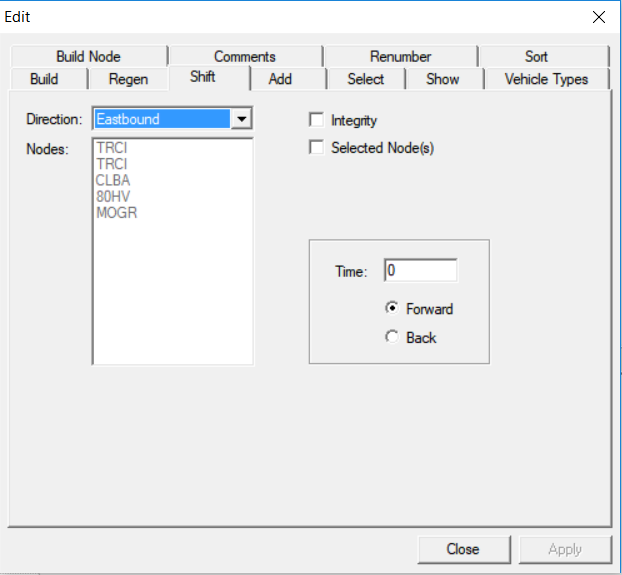
- In the Direction drop-down list, select the appropriate direction.
- In the Nodes frame, click a node whose trip time you want to shift.
- In the Time field, type the amount of time by which you want to shift the node.
- To shift the node time forward or backward, click either the Forward or Back options.
-
Perform one of the following steps:
- Select the Integrity check box in order for the trip time of the build node to be shifted and the trip regenerated based on your existing patterns and run times. The trip times of the other nodes changes accordingly.
-
Select the Selected Node(s) check box in order that only the times of the selected nodes are shifted. Use this option if you do not wish to change the trip times of the other nodes. When selected, the nodes in the Nodes list are activated. If not selected, the Nodes list appears shaded.
- Click Apply.
-
Click Close.
When you adjust the trip time on a node that is also a relief point, the relief records associated with the node are also adjusted.