
Using the Regen Trips Option
The shortcut menu on the Trip Building screen provides an alternative method of regenerating trips.
- Right-click on the screen.
-
In the shortcut menu click Regen Trips.
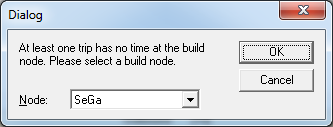
The Build Node dialog box appears.
-
Select the build node in the Node drop-down list.
This is useful when you have changed the pattern of some of the selected trips.
- Click OK.