
Deleting Vehicles from Parking Grids
Vehicles can be deleted from the parking grid.
- Open the Vehicle Assignment screen and set the Context (F3).
-
Select the cell of a vehicle to delete.
To select multiple vehicles, press and hold CTRL and click in the appropriate cells.
-
Do one of the following:
- Press the Delete key. (Only one vehicle can be selected to use this option.)
- Right-click and select Remove Vehicle.
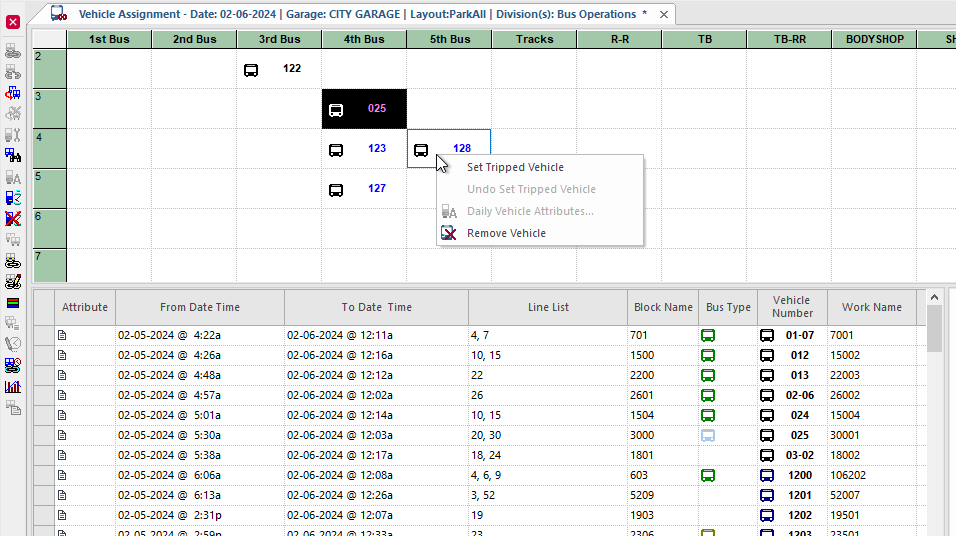
If multiple vehicles are selected, a confirmation message appears. Select Yes.