
Moving Vehicles to Parking Grids
Drag to move a vehicle within the parking grid.
- Open the Vehicle Assignment screen and set the Context (F3).
- Select the cell of a vehicle to move.
-
Move the mouse pointer to the bottom border of the cell.
A rectangle appears below the pointer.
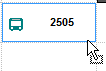
- Drag the vehicle to another cell in the parking lot.