
Removing Records from Performance Management
Remove employee absence, accident, customer feedback, or incident records using performance management.
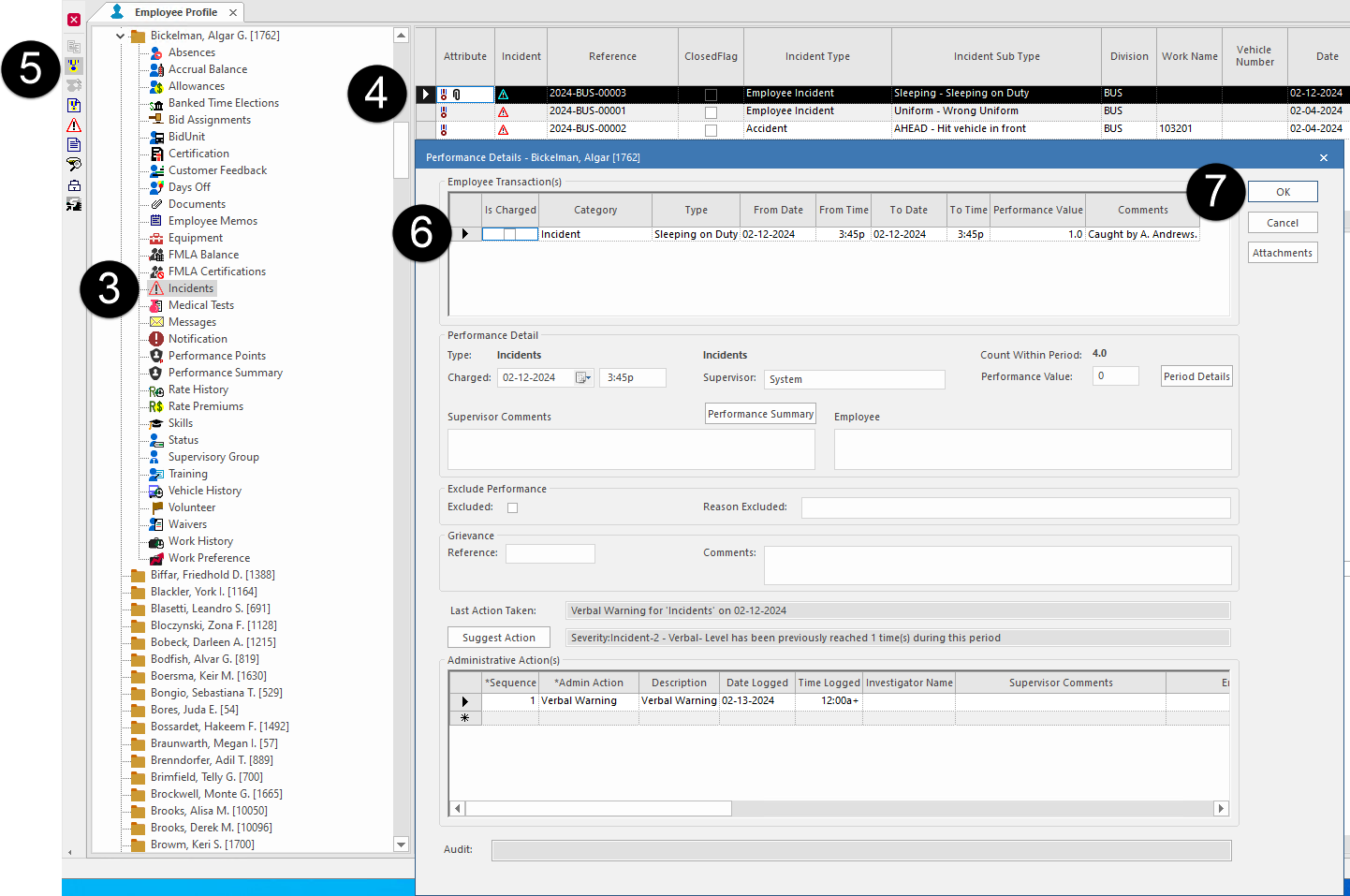
- Open the Employee Profile screen and set the Context (F3).
- Select an employee.
- Select one of the following: Absences, Customer Feedback, or Incidents.
- Select a record.
-
Select Performance Details:

- Clear Is Charged in the Employee Transaction(s) area.
-
Select OK.
A warning message appears. Select Yes. The ribbon icon no longer appears in the Attribute column of the record and the record no longer shows on the Employee Profile - Performance Summary screen.