
Returning Employees to Work
Employees may be required to return to work for some absences. Record their actual or expected date of return so they're assigned work.
- The Open Ended Flag is selected.
- The Return to Work Flag must be set to either Return to Work Processing Required or Secured Return to Work Processing.
- Open the Employee Profile screen and set the Context (F3).
- Select an employee and then Absences.
-
Select the appropriate absence and then Return To Work:

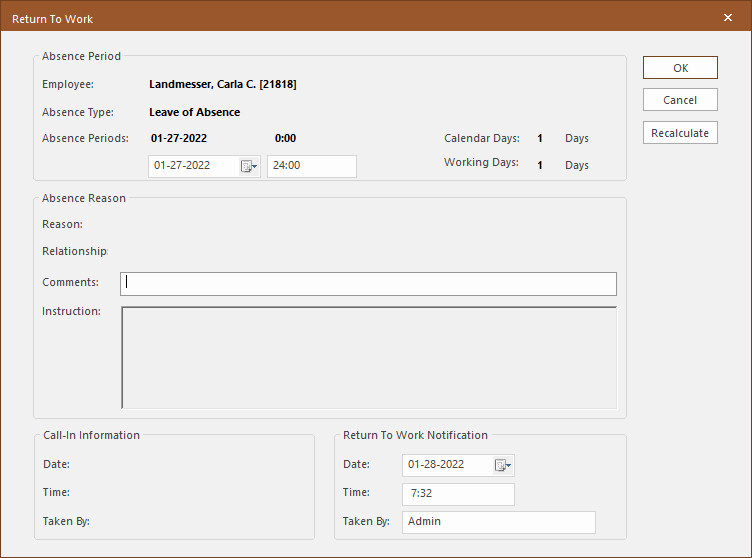
The Instruction field shows any required return to work actions. For example, medical clearance after a lengthy illness.
-
In the Absence Periods fields, enter the
Date and Time the employee is
returning to work.
If you adjust the return date, select Recalculate to update the Calendar Days and Working Days.
- Optional: Enter any Comments about the employee's absence or return.
- In the Return To Work Notification section, enter the Date and Time the return to work information was provided.
-
Select OK.
Work can be assigned to the employee as of the return date.