Reconfiguring Your Workspace
Widgets allow you to reconfigure your workspace as you use it.
Before you begin
About this task
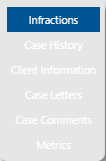
Typically, Client Information and Infractions are shown, and you may jump between Case History, Case Letters, and Case Comments depending on what you are working on.
Procedure
-
Click the Menu button:

-
Select the widget to be shown in the pane.