
Viewing Archived Cases
Archived cases are closed cases that have been in the system for a predefined length of time.
Before you begin
Procedure
In the policy navigation area, for the policy to be viewed, click
Archived.
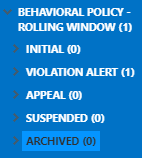
There is an Archived phase within the Archived stage. Click either option to
see archived cases.
To see a count of archived cases, the system administrator must select the context property.