
Assigning Vehicles to Blocks Automatically
The system can automatically assign vehicles to blocks in fixed route and demand response divisions.
- Open the Vehicle Assignment screen and set the Context (F3).
-
Select Auto Assign Vehicle:

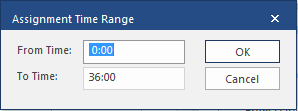
- Enter the appropriate time range or leave the fields unchanged to create assignments for the entire day.
-
Select OK.
If there is a maintenance conflict or the system can't find a suitable vehicle match for a block, a message appears indicating the information, for example, a required skill, that's missing. Select Retry.