
Assigning Vehicles to Blocks Using Find Vehicle
Searching for an available vehicle lets you to assign it to the selected block.
- Open the Vehicle Assignment screen and set the Context (F3).
- Select the block to which to assign a vehicle.
-
Select Find Vehicle:

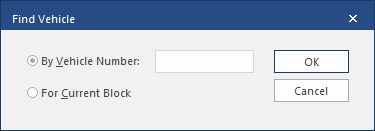
- Select For Current Block, if not already selected.
-
Select OK.
Find Vehicles uses the pull-out sequence to select the next available vehicle in the garage. The cell in the parking grid containing the vehicle is highlighted.
- Use the Assign Vehicle button or drag the vehicle to assign it to the block.