
Assigning Vehicles to Blocks Using Assign Vehicle
Use the Assign Vehicle button to assign vehicles to blocks that aren't in progress.
- Open the Vehicle Assignment screen and set the Context (F3).
- Select the block to which to assign a vehicle.
-
Select Assign Vehicle:

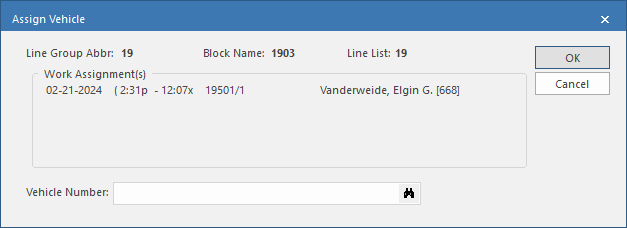
-
Search for a Vehicle Number to assign to the
block.
You can search Vehicle Number using the vehicle license number or the vehicle number.To use Fast Find, the property must be selected.
- Select OK.
If prompted, you can create a maintenance
record:
- Select the maintenance Type.
- Set the start time for the maintenance in the From Date and Time fields.
- Set the end date of the maintenance in the To Date and Time fields.
- Optional: Enter Comments.
- Select OK.