
Deleting Investigation Records
Delete investigation records from incident records as needed.
- Open the OPS Incidents Admin screen and set the Context (F3).
-
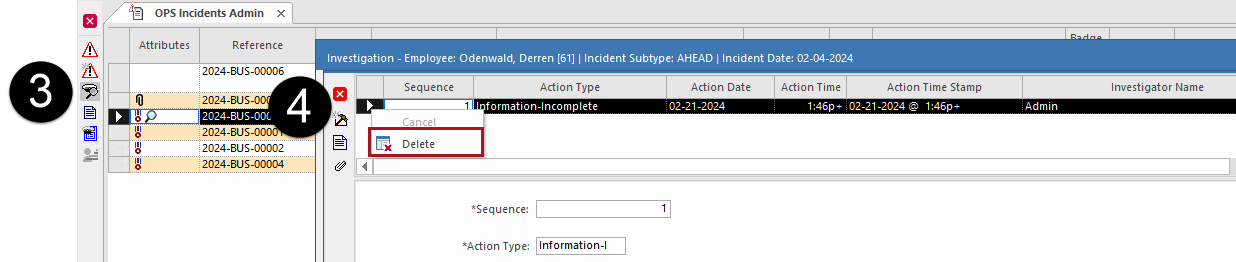
Select a incident with an investigation record.
Records with investigations are marked with a magnifying glass icon in the Attributes column.
-
Select Investigations:

-
Select the investigation record, then right-click on the record and select
Delete.
- When the confirmation dialog appears, select Yes.