
Promoting Cases from Violation Alert Investigation to Violation Alert Compose Suspension
When a warning has been delivered and the client meets the criteria for a suspension, the case can be moved from the warning alert stage to the violation alert stage.
Before you begin
About this task
Procedure
-
Select the case card of the case to be promoted.
Case information, which may include Client Information, Case History, and Infractions, for the selected case is visible.
-
Click Promote.
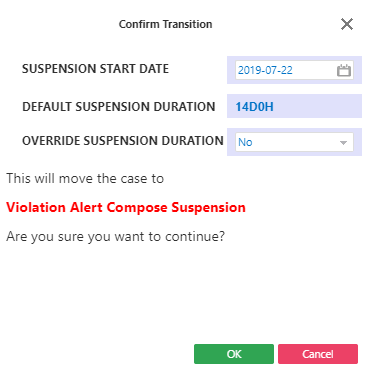
A Confirm Transition dialog box appears. The Suspension Start Date, Default Suspension Duration, and Override Suspension Duration are shown. - Optional:
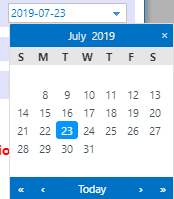
To use a different Suspension Start Date, click a new
date in the calendar.
The default start date is tomorrow's date.Only current and future dates are available.
-
Do one of the following:
To Do this Keep the default length of time In the Override Suspension Duration list, click No. Define a new length of time In the Override Suspension Duration list, click Yes. Type a Suspension Duration.
A duration of 0 days can be defined.
The defined length of time will be included in the letter sent to the client. - Click OK.