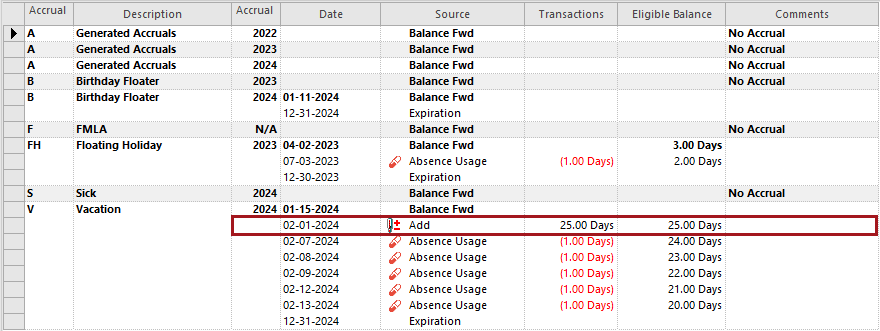
Adjusting Accrued Hours
Accrued hours can be adjusted for employees as needed.
- Open the Employee Profile screen and set the Context (F3).
- Select an employee and then Accrual Balance.
- Select the accrual record to adjust.
-
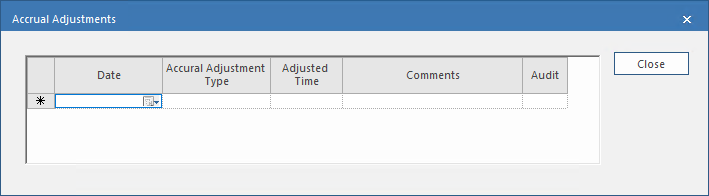
Select Accrual Adjustments:

-
Enter the Date of the accrual adjustment.
The date must be within the defined Accrual Year.
-
Select an Accrual Adjustment Type.
These are defined in Accrual Adjustment Types ancillary data.
-
In the AdjustedTime field, enter the amount of time to
adjust.
You can enter a positive or a negative time. Enter the time in the format defined in the property.
- Optional: Enter any Comments.
-
Select Close.
The record is updated.