
Selling Back Accrued Hours
Depending on agency policies, employees can sell back accrued absence time and take pay in lieu of time.
- Open the Employee Profile screen and set the Context (F3).
- Select an employee and then Accrual Balance.
- Select the accrual record to sell back.
-
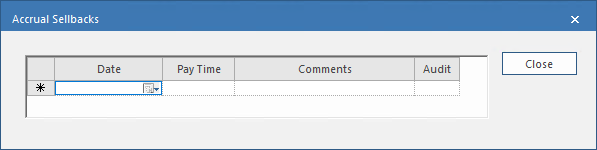
Select Accrual Sellbacks:

-
Enter sellback Date.
You can backdate or postdate the sellback.
-
In the Pay Time field, enter the amount of time to sell
back.
Enter the time in the format defined in the property.
- Optional: Enter any applicable Comments.
-
Select Close.
The record is updated with the sellback information. Sellbacks appears in the Source field.

If you postdated the sellback, you may not see the entry and should update the Context (F3) to include that date.