
Creating Dependent Incident Records
Dependent incidents result from, and are automatically linked to, parent incident records.
- Open the OPS Incidents Admin screen and set the Context (F3).
- Select a record.
-
Select Incident Details:

-
Select Create Dependent Incident:
 Most of the fields on the New Dependent Incident dialog aren't editable. Since the dependent incident is a result of the parent incident, it inherits the details of the parent.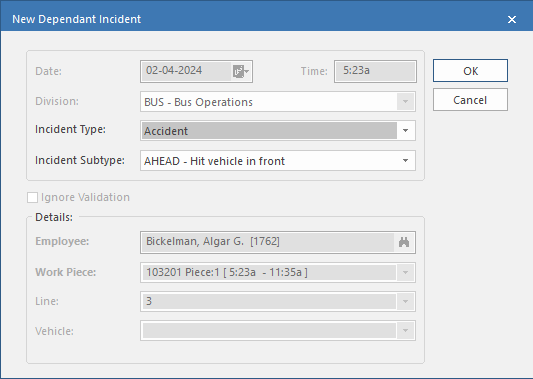
- Select an Incident Type.
- Select an Incident Subtype.