
Using Address Matcher
Address Matcher locates and verifies addresses by matching the address components of an object against available data.
Note:
The address fields in the booking (Pick Up
Address and Drop Off Address) are the preferred
way of matching addresses as it automatically populates address data from Google Maps.
Address Matcheris an additional tool where you can perform
the same matching function, however it allows you to specify where you want the address
data to be pulled from.
How to open Address Matcher
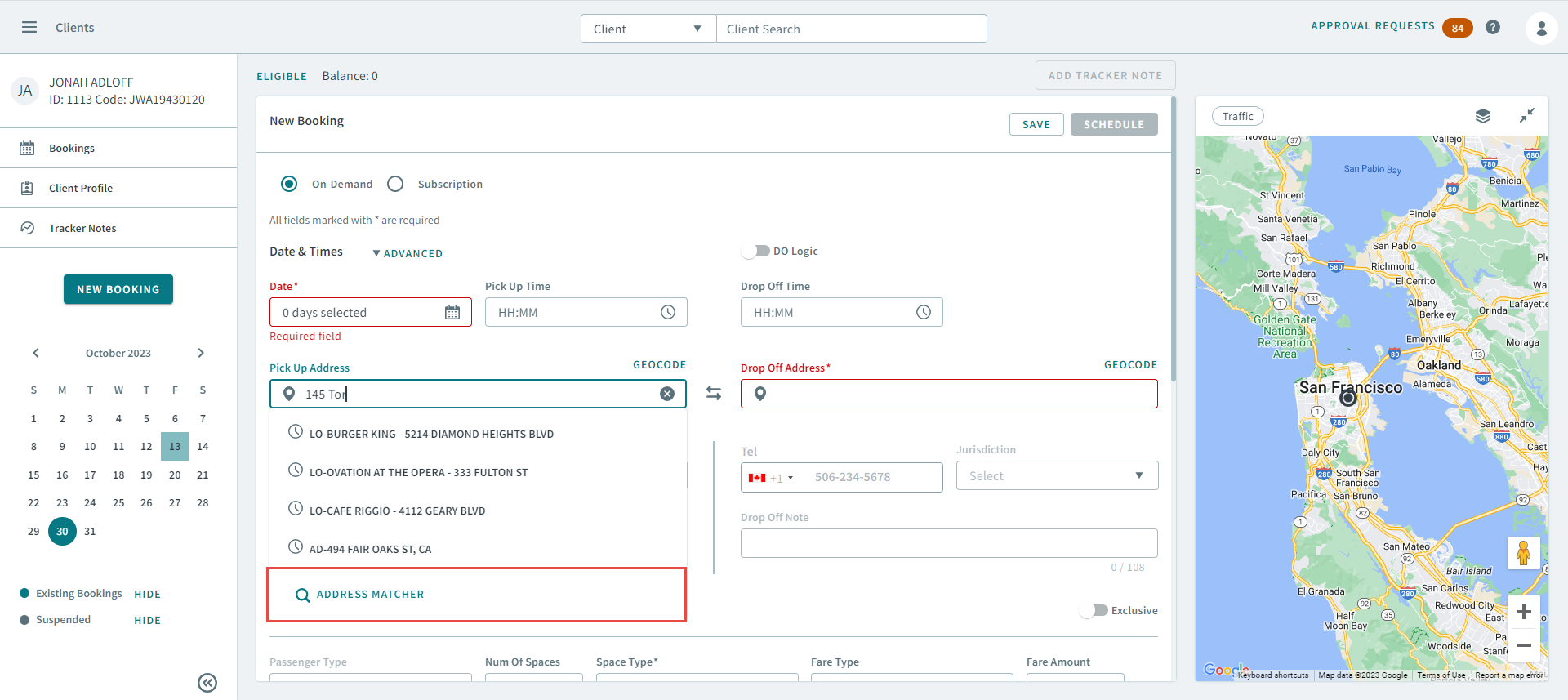
When searching for an address in Pick Up Address, or
Drop Off Address, click Address
Matcher below the matching results.
What's on the Address Matcher page
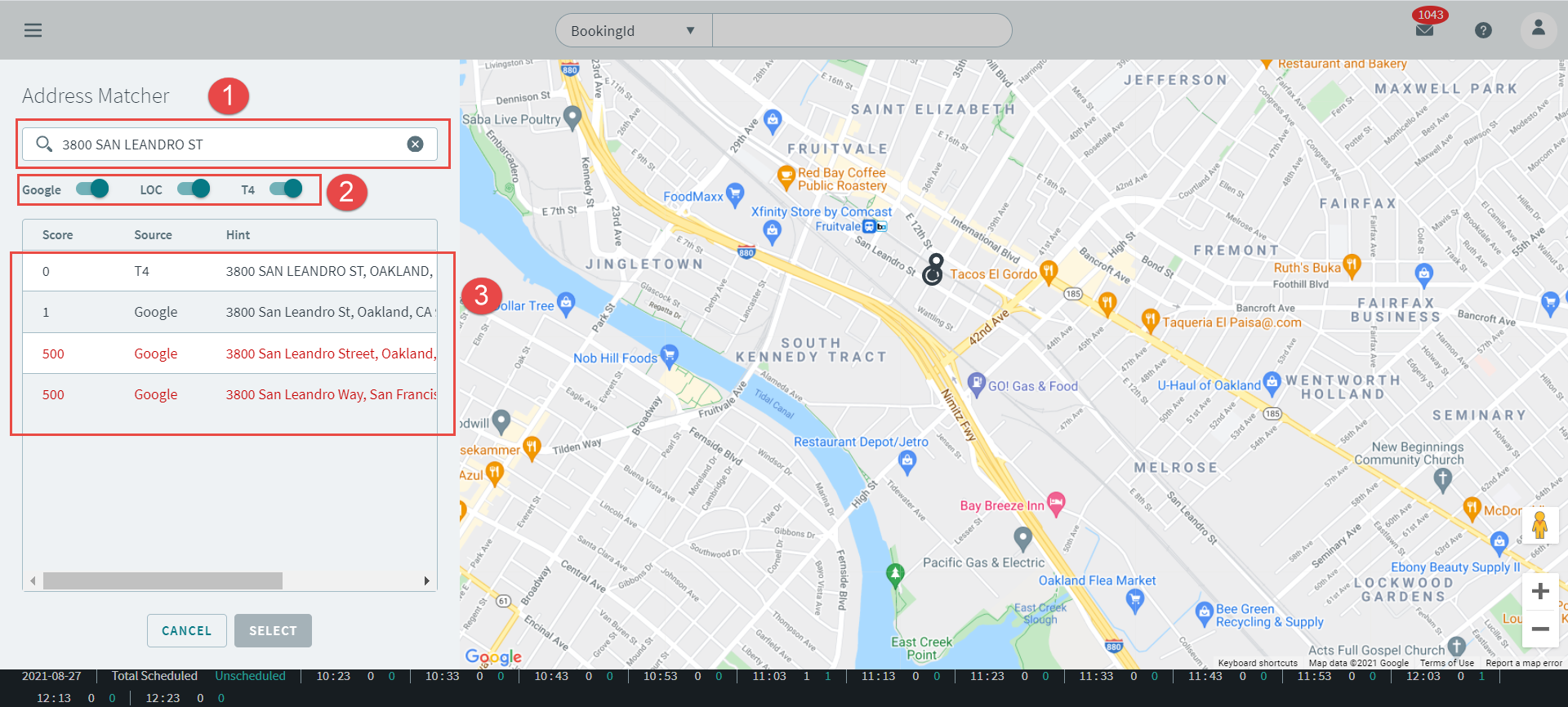
 Type an address into the search box, which generates matching results in
the grid below.
Type an address into the search box, which generates matching results in
the grid below. Turn Google (Google Maps),
LOC (Location Address Type), and
T4 (Trapeze 4) toggles ON to enable the data source.
This will enable map data that matches with the address you have entered.
Turn Google (Google Maps),
LOC (Location Address Type), and
T4 (Trapeze 4) toggles ON to enable the data source.
This will enable map data that matches with the address you have entered. The grid results will show matching addresses that have a ranked score.
Select an address from the grid with the most accurate matching score, and then
click Select. An address with a score of 1 is the most
accurate match possible.
The grid results will show matching addresses that have a ranked score.
Select an address from the grid with the most accurate matching score, and then
click Select. An address with a score of 1 is the most
accurate match possible.