
Dispatch
The Dispatch page can be used for a variety of dispatching activities of events that affect a schedule during the course of a day.
The Dispatch page can be used for the following dispatching
activities:
- Dispatch incidents to drivers in a timely fashion to tell them about schedule changes throughout the service day.
- Eliminate schedule problems by alerting dispatchers of violations on vehicles the moment they occur.
- Assign vehicles and drivers to runs.
Important:
Some activities can only be performed by
users with the proper security access (for example, Vehicle
Assign). Security permissions are assigned by a system
administrator.
To open the Dispatch page, click  .
.
The Dispatch page consists of three main components that allow you to perform the
following dispatching tasks:
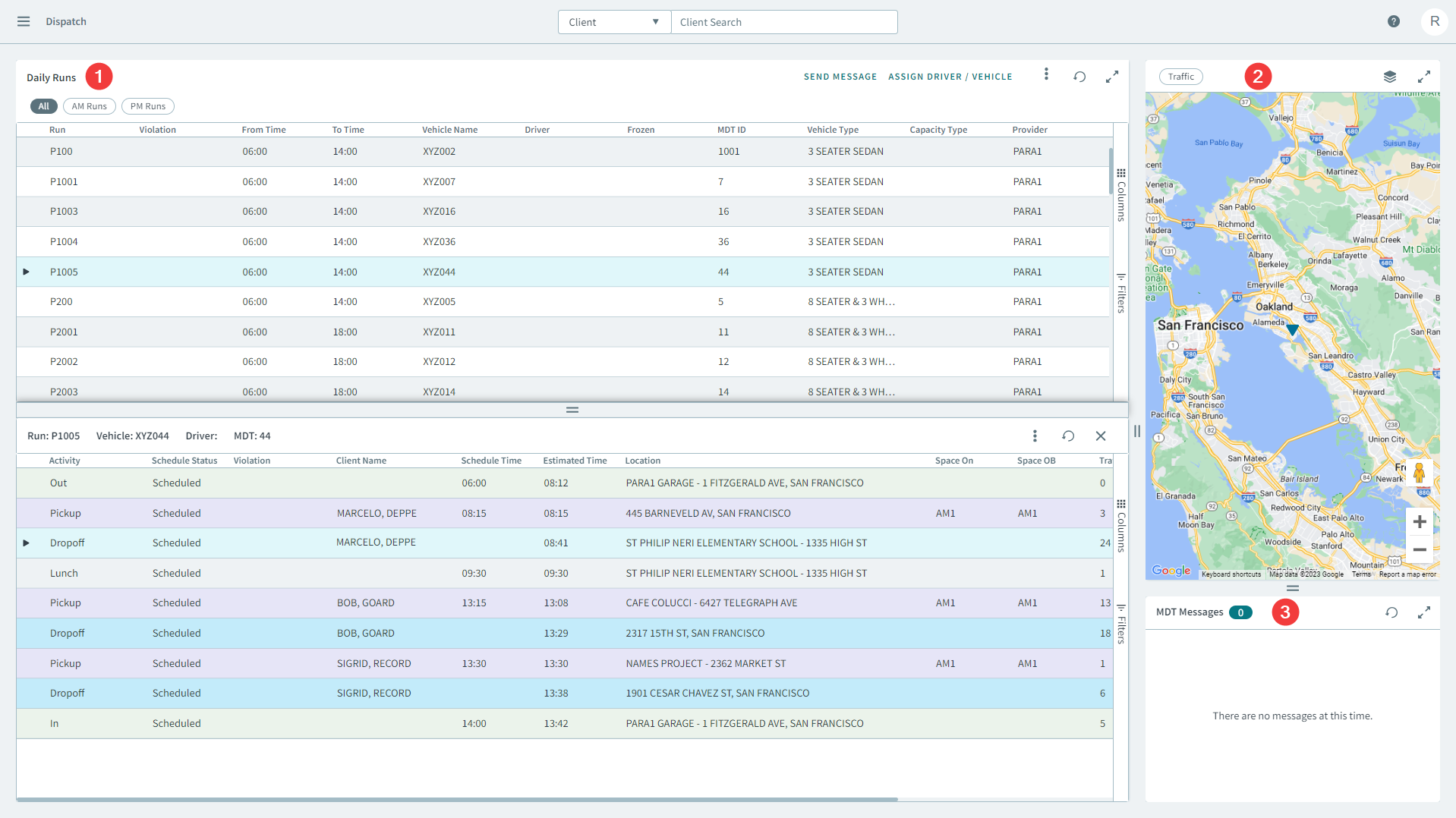
 The main grid that displays scheduled daily runs. Selecting a run will
display the run's itinerary in a window pane below.
The main grid that displays scheduled daily runs. Selecting a run will
display the run's itinerary in a window pane below.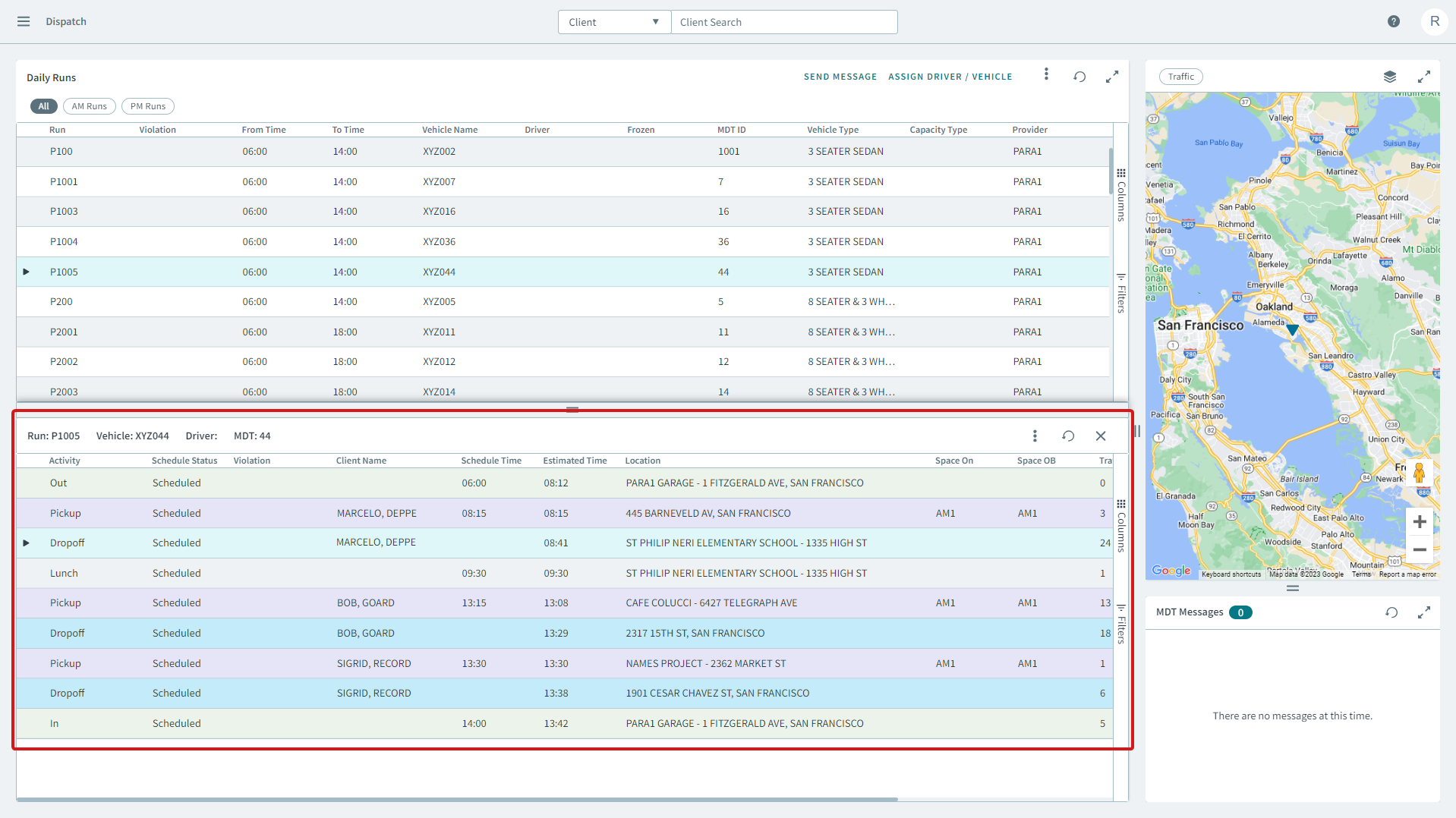
 The map displays a run's vehicle in real time. Selecting a run and it's
associated vehicle will show a visual representation on the map that tracks the
vehicle's location.
The map displays a run's vehicle in real time. Selecting a run and it's
associated vehicle will show a visual representation on the map that tracks the
vehicle's location. Allows you to view incoming messages from drivers in real time.