
Schedules
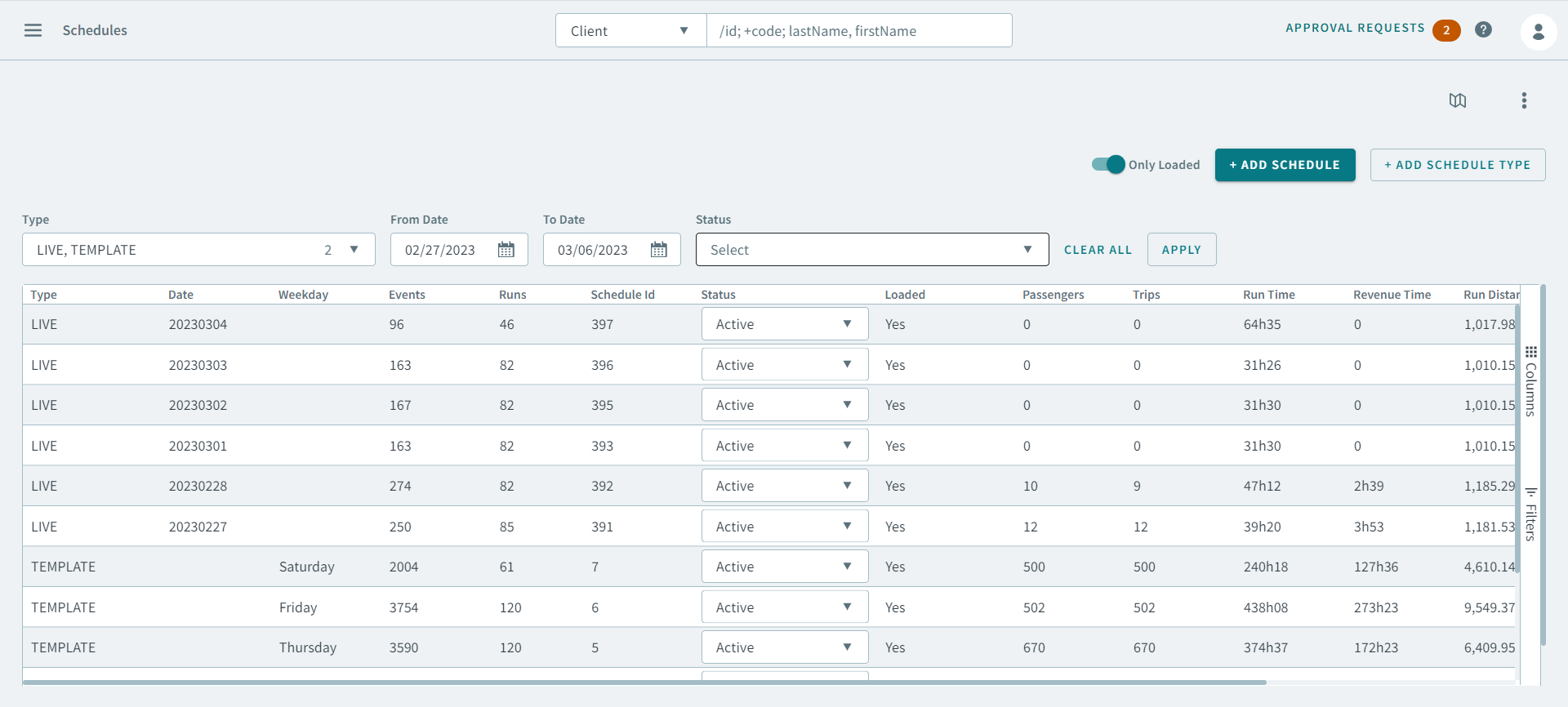
The Schedules page allows you to view current and future runs, and add Schedules and Schedule Types.
Typically, loaded schedules are available, but you can show unloaded schedules if needed.
The schedules grid shows information such as the number of events and runs in the schedule, the total run time and total revenue run time in the schedule, and the current schedule state (for example, Active).
After selecting a schedule, you can view the runs associated with it, or show unscheduled trips.
To access the Schedules page, click  on the top left corner, and then click Schedules on the
sidebar menu.
on the top left corner, and then click Schedules on the
sidebar menu.
on the top left corner, and then click Schedules on the
sidebar menu.In the Schedules page, there are various search parameters that can help you find and narrow down schedules.