
Using Activity-Based Extra Work
Extra work can be broken down into activities from OPS Daily Activity Types ancillary data.
- In the Daily Activity screen, set the Context (F3).
-
Select the piece of activity-based extra work to edit.
The work must be assigned to an employee.
-
Select Edit Work Times:

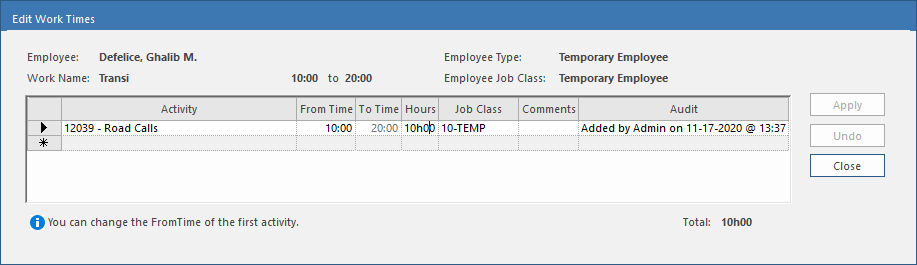
- Select an Activity.
- In the Hours column, enter the duration of the activity.
- Repeat these steps for each activity.
- If required, you can change the From Time of the first activity.
- Optional: Select the square to the left of the activity record and drag to change the order of activities.
- Select Close.