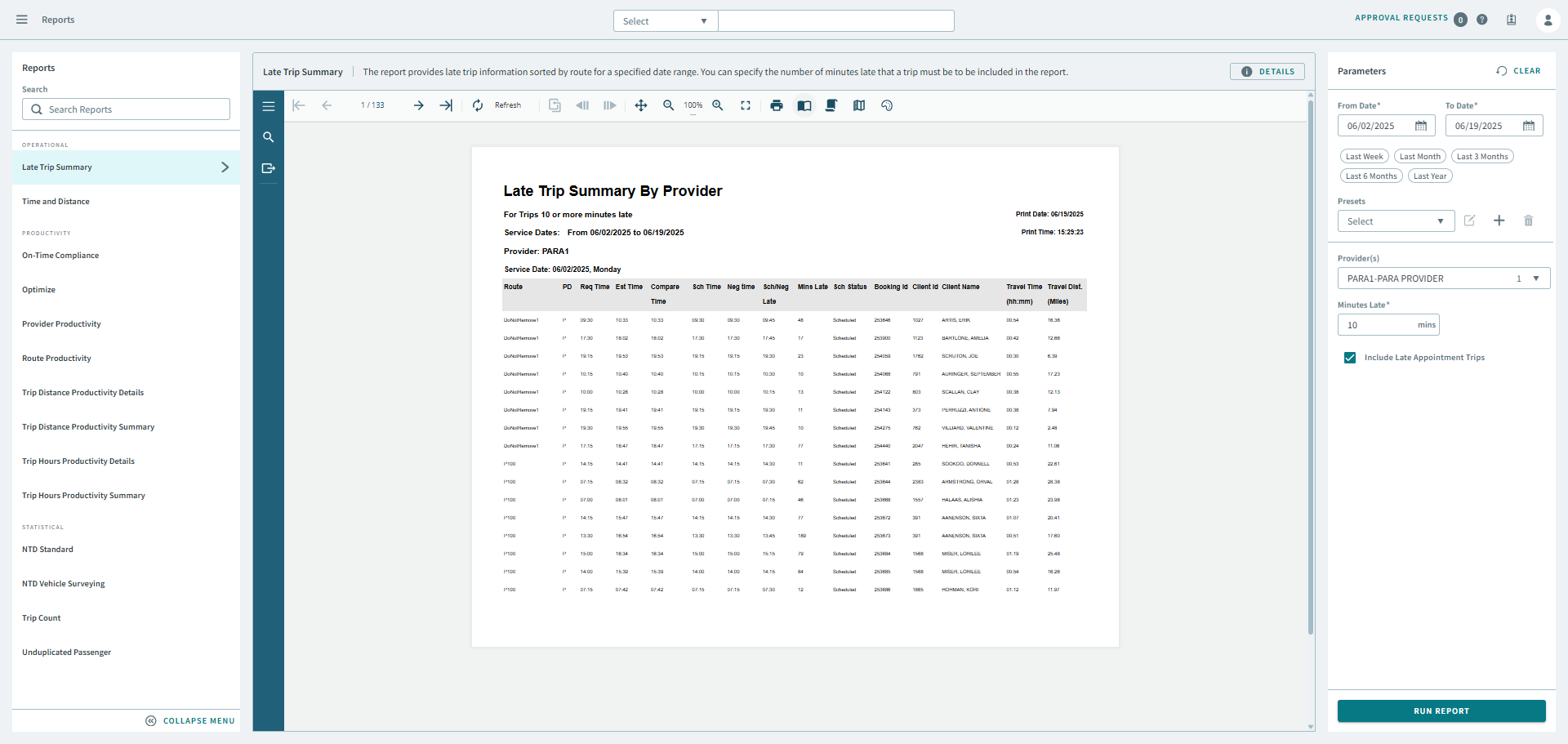
Late Trip Summary
The Late Trip Summary report provides late trip information sorted by route for a specified date range. You can specifiy the number of minutes late that a trip must be, in order to be included in the report.
Note:
Consider the following:
- When deciding what is a late trip, SchLate time is checked before NegLate time.
- Late trips are included for both pick-up and drop-off. The PD column in report output shows whether the late trip is pick-up or drop-off trip (P = pick-up; D = drop-off).
-
Total Trip for Provider AA in the report summary shows the actual count of late trips, not a summary of all of the late trips. (This prevents situations where one trip is counted twice—once for a late pick-up and once for a late drop-off.)
| Parameter | Description |
|---|---|
| From Date | First date of records in the report. |
| To Date | Last date of records in the report. |
| Presets | From the drop-down, Select a report parameter configuration. Preset icons allow you to edit a preset, create a new preset, or delete a preset. |
| Provider | From the drop-down list, choose All or a specific provider for the report. |
| Minutes Late | Number of minutes late that a trip must be for it to be considered late. |