On Time Compliance
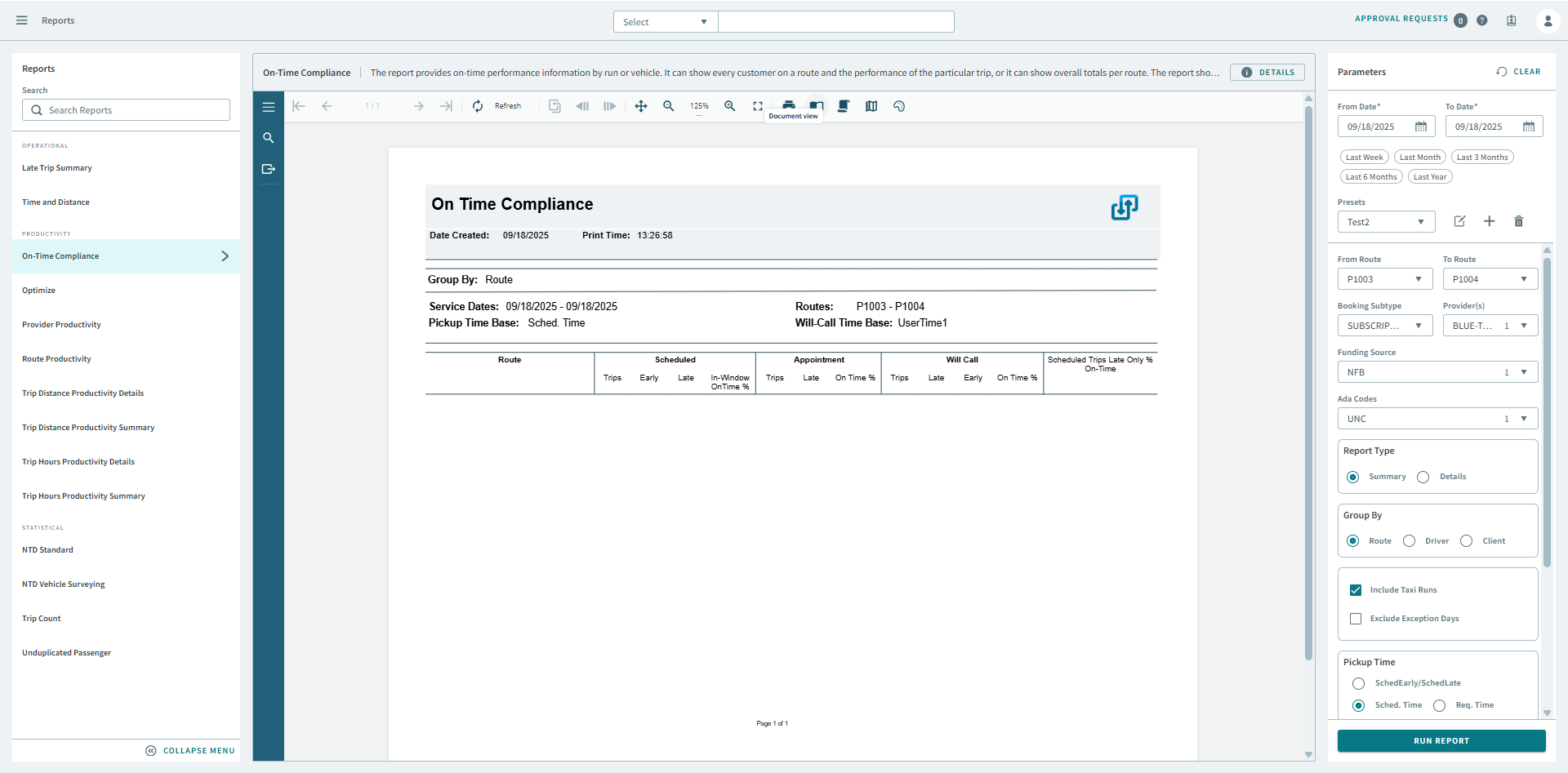
The On-Time Compliance report provides on-time performance information by route, driver, or client.
The report can show every customer on a route and the performance of the particular trip or it can show overall totals per route. The report shows scheduled as well as estimated times. The time base for pickup on-time compliance and will calls can be configured.
| Parameter | Description |
|---|---|
| From Date | First date of records in the report. |
| To Date | Last date of records in the report. |
| Presets | From the drop-down, Select a report parameter configuration. Preset icons allow you to edit a preset, create a new preset, or delete a preset. |
| From Route | First route in the report. |
| To Route | Last route in the report. |
| Booking Subtype | Booking subtype for the report. |
| Provider(s) | If All is selected, records for all providers appear in the report. If All is cleared, select individual providers from the list. The options available to you depend on provider security. |
| Funding Source | If All is selected, the report includes data for all funding sources. Otherwise, select a funding source from the list. |
| Ada Codes | If All is selected, records for all ADA codes appear in the report. Clear All to select specific ADA codes from the list. |
| Report Type | Specifies whether the report includes summarized or detailed information. |
| Group By | Select the method of grouping data: by route, driver or
client. If Client is selected, you can search by client ID number, client last name, or for client last and first name combinations. For example, use /121 to search for the client whose ID number is 121, Smith to search for a client whose last name is Smith, or Sm.J to search for a client named John Smith. |
| Include Taxi Runs | If selected, taxi runs are included. |
| Exclude exception days | If selected, the report will ignore days marked as exception days (for example, holidays that run on Sunday service). For more information about exception days, see the PASS System Administrator and User Guide. |
| Pickup Time | Specifies the pickup time base (SchedEarly/SchedLate, Sched Time,
Req Time, or UserTime1) and the number of minutes that trips in the
report must be early or late. To define a number of seconds by which the time base can be exceeded, in System Setup, on the DB Parameters tab, specify the number of seconds in the Late Time Threshold box. This threshold affects the On Time Compliance report, On Time Compliance (Flex) report, the Late Trip Summary by Provider report, and the Same Day and Advance Booking report. |
| Will-Call Time Base | Specifies the will-call time base (SchedEarly/SchedLate, Sched
Time, Req Time, or UserTime1) and the number of minutes that trips
in the report must be early or late. To define a number of seconds by which the time base can be exceeded, in System Setup, on the DB Parameters tab, specify the number of seconds in the Late Time Threshold box. This threshold affects the On Time Compliance report, On Time Compliance (Flex) report, the Late Trip Summary by Provider report, and the Same Day and Advance Booking report. |