
Edit Group Bookings
You can edit group bookings if group booking information changes.
Procedure
-
Choose from the following to open the group booking page:
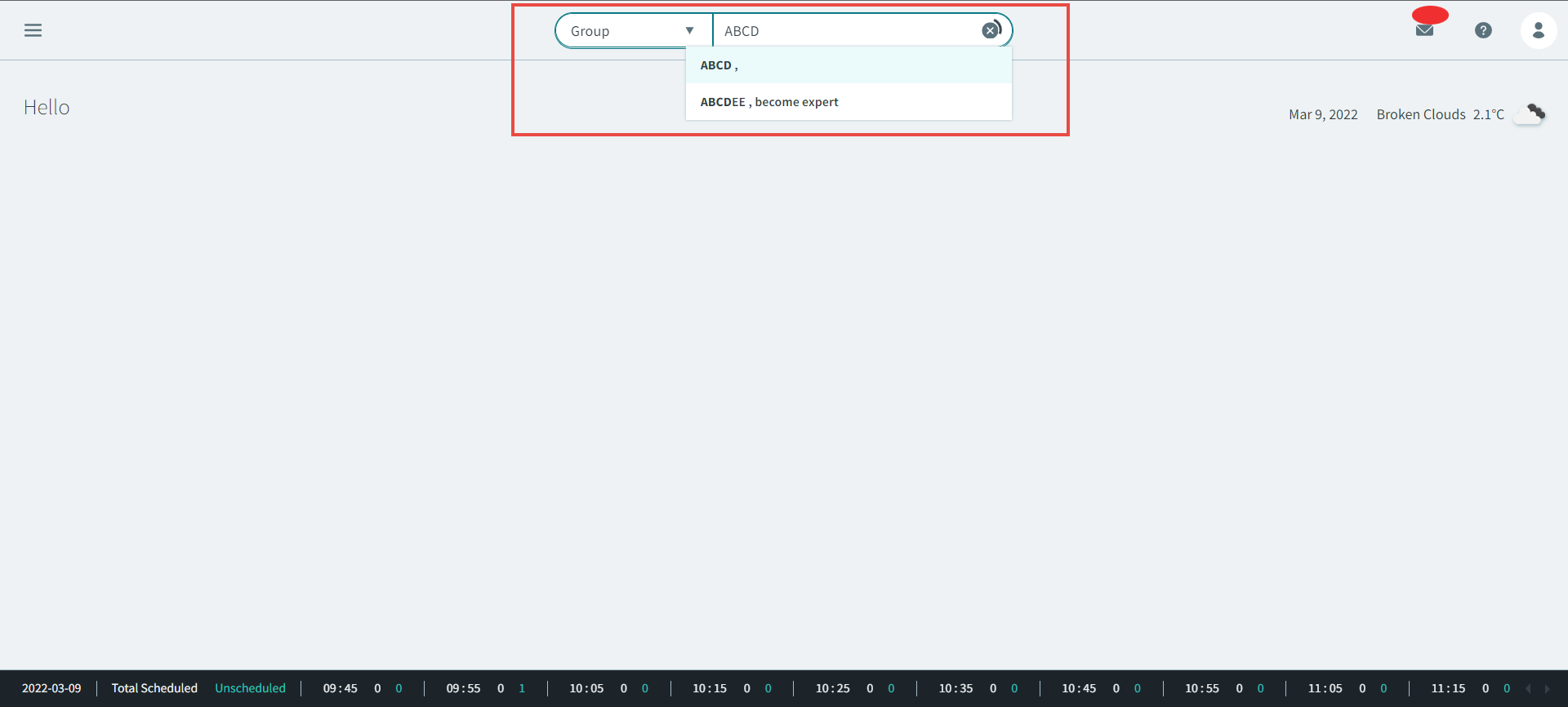
- Search for a group profile by selecting the Group
filter in the global search bar. Type the name of the group into the search
bar.
- In the Groups page, search for the profile that you want to create the
group booking for. After locating the group profile in the search results,
click the
 three dots icon to the right of the profile, then in
the pop-up window, click Bookings.
three dots icon to the right of the profile, then in
the pop-up window, click Bookings.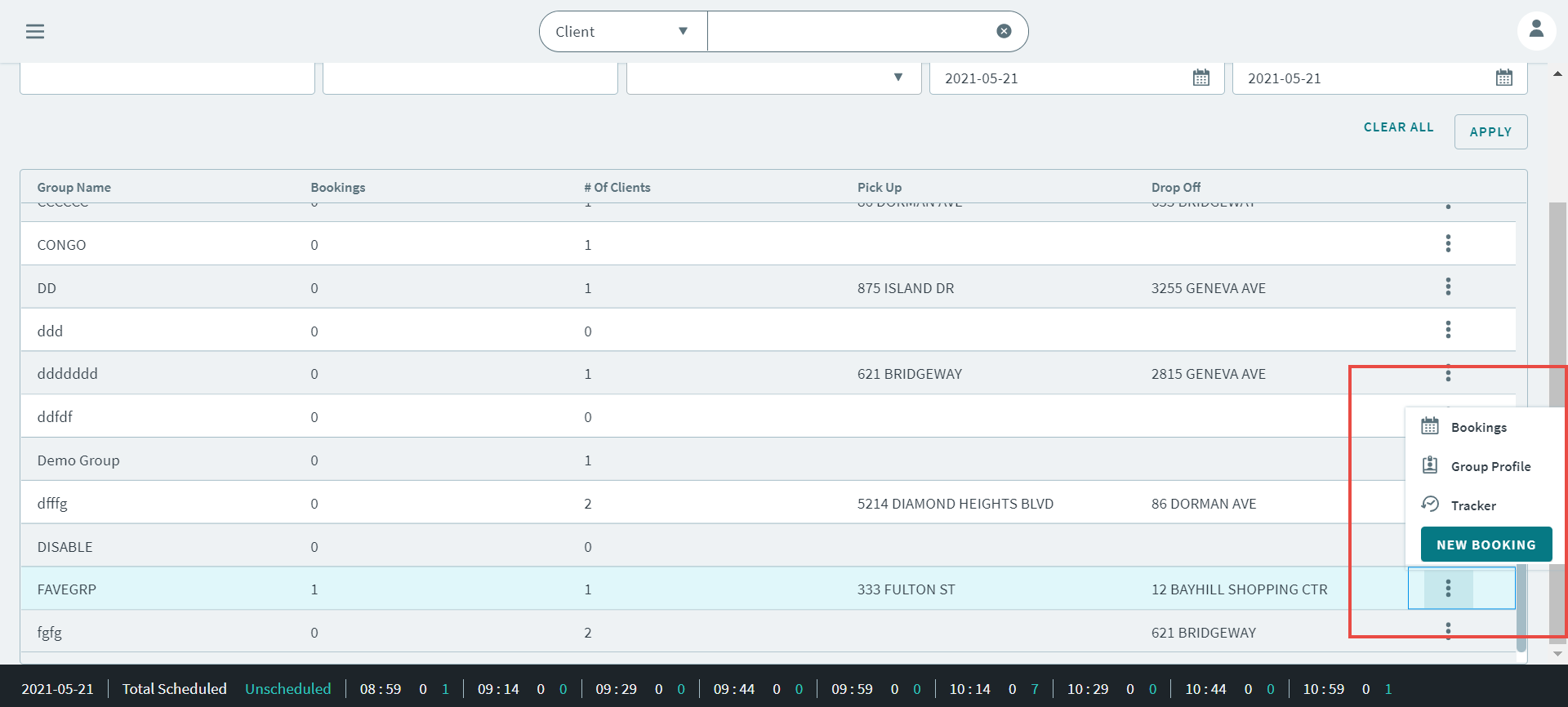
- Search for a group profile by selecting the Group
filter in the global search bar. Type the name of the group into the search
bar.
-
On the footer, hover over the More option and click
Edit
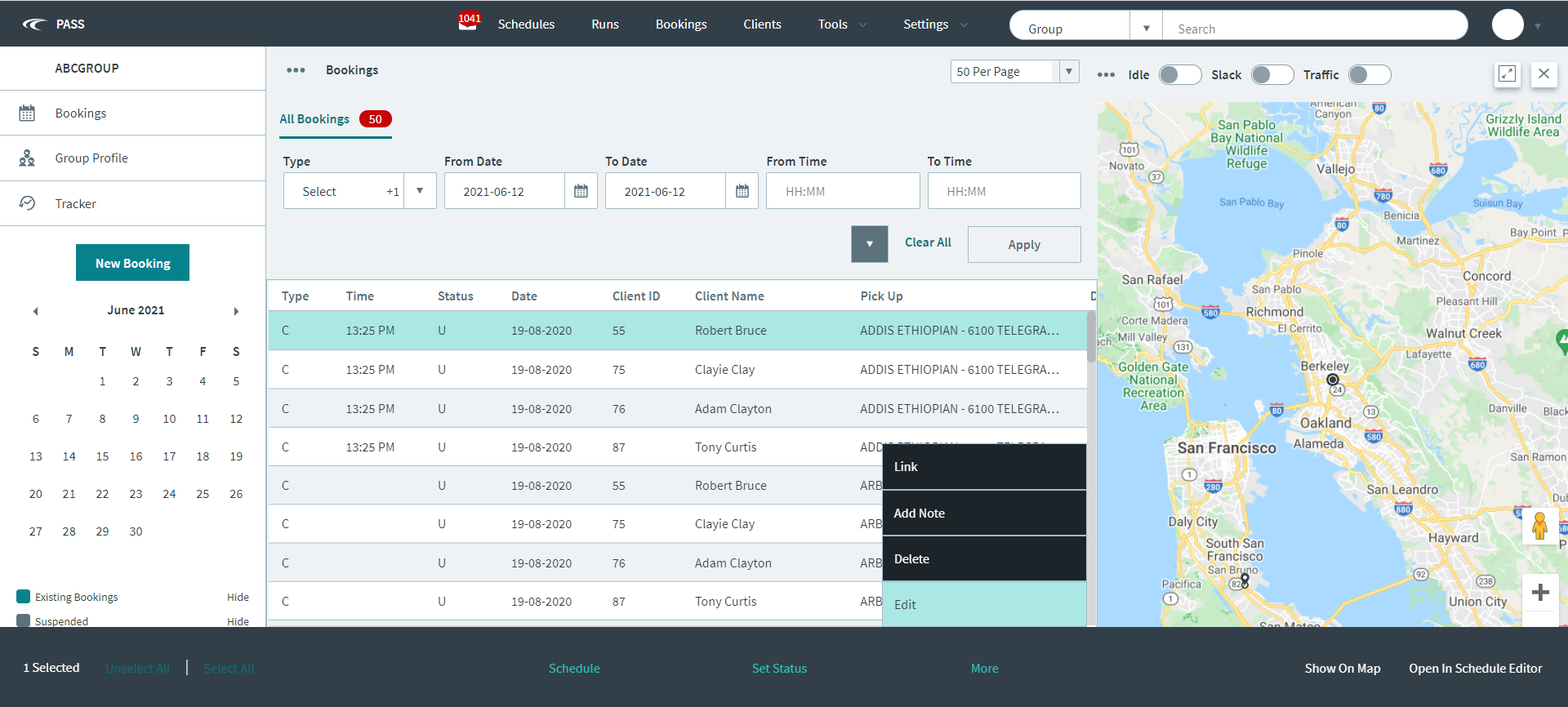
The group booking opens. - Make changes to the group booking.
- Click Save.