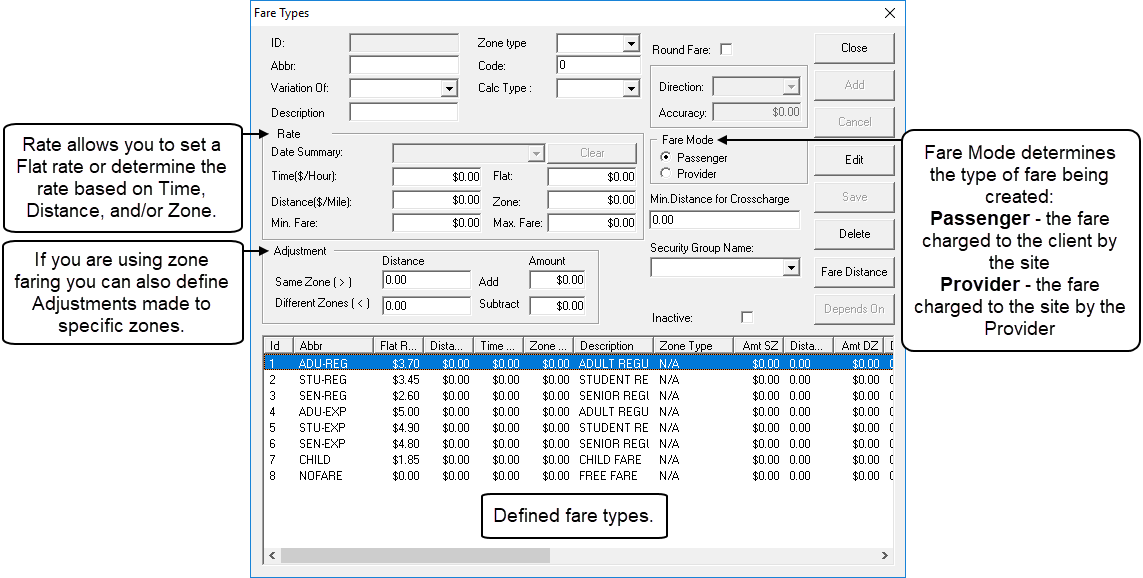
About Fare Types
A fare is the amount of money that the passenger pays for a trip; however, it can also refer to the cost of a trip that a transit provider charges to a transit site.
The Fare Types ancillary data dialog box allows you to create a fare structure for different types of trips charged to passengers and, in some cases, fares charged to providers by third-party vendors. For each type of trip, you can establish flat rates or have fares calculated by travel within and between zones (polygons), by distances, and/or times.
Before you define fare types, make sure the Direct Distance Calc.
method, Distance Unit, and Time
Unit Faring properties are defined. To define these properties, click , and on the Profile tab, click
Faring.