
Editing Work Times
Manually adjust work times as needed so that they match the hours that were actually worked.
- Open the Daily Activity screen and set the Context (F3).
- In the work list view, select a piece of work.
-
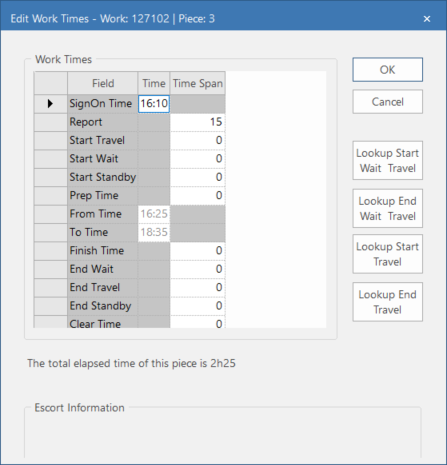
Select Edit Work Times:

-
You can change any of the Time or Time
Span values that appear in black font.
Default values for these times are defined in OPS Time Component Defaults ancillary data.
- Optional:
Use the Lookup buttons to see additional information.
To use the Lookup Start Wait Travel and Lookup End Wait Travel buttons, the property must be enabled. To use the Lookup Start Travel and Lookup End Travel buttons, the property must be enabled.
- Select OK.