
Appending Advance Notice Profiles to Polygons
After creating an advanced notice profile, you can append it to a polygon in Runs.
Procedure
- Click .
- Select a run.
- Click the Detail tab.
-
In the Polygons frame, click the Profile
field beside the appropriate polygon.
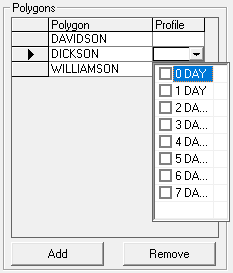
- Click an advanced notice Profile from the list.
- Click Save.