
Viewing Trip Weather Information
Weather information associated with booking IDs can be viewed directly from Service Infractions.
Before you begin
About this task
Procedure
- In the policy tree, click the policy name, the policy stage, and then the policy phase that contains the infractions for which to view weather information.
- Select a case card.
-
In the Infractions widget, on the infraction to
investigate further, click the Weather button:

The Weather Information dialog box appears.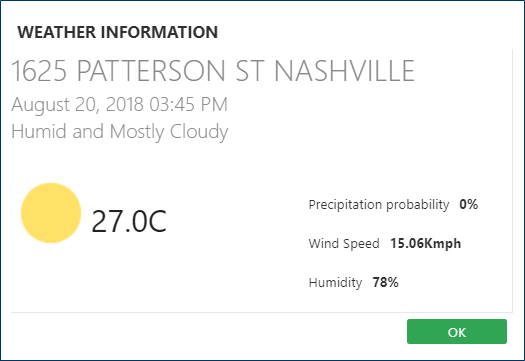
-
View the temperature, precipitation, wind speed, and humidity for the case
infraction time and location.
Celsius or Fahrenheit is used based on the context property defined in .
- Click OK.