
Sending Messages From the Employee Profile Screen
Messages can be sent to employees from the Employee Profile screen.
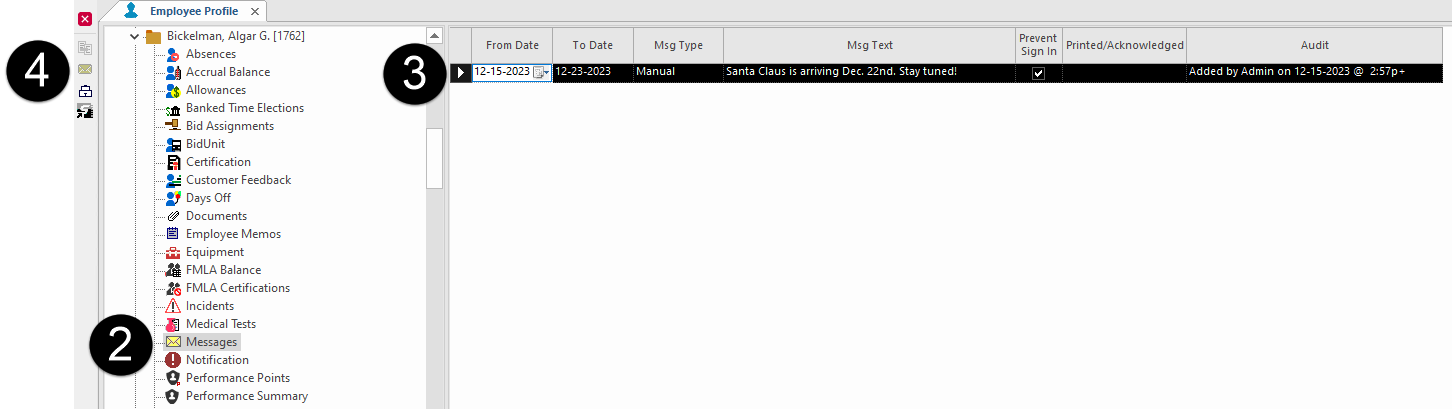
- Open the Employee Profile screen and set the Context (F3).
- Select an employee and then Messages.
- Click in the messages list to make the pane active.
-
Select Send Employee a Message:

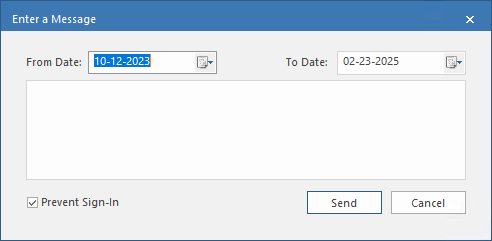
- Enter the date range you want the message visible for in the From Date and To Date fields.
-
Enter the message text.
The message is limited to 200 characters.
- Optional: To prevent the employee from signing in during the message date range, select Prevent Sign-In.
- Select Send.