
Entering and Geocoding Employee Addresses
Employee addresses can be entered and then geocoded using the Address Matcher.
The and properties must be defined for geocoding. Other associated properties may also need to be defined. If you are unable to geocode, contact your Trapeze representative for more information.
- Open the Employee Profile screen and set the Context (F3).
- Select the employee for whom to add an address.
- Select Address.
- In the right pane, right-click and select Add New Record.
-
Enter the date range the address is active in the From
Date and To Date fields.
The To Date field can be left blank.
-
In the Location field, enter the address
information.
Include as much information as you can to avoid ambiguity. Many street names are common, so include the city name.
- Select Search.
-
If the system finds multiple matches, select the correct location and select
OK.
If the location you are looking for isn't there, select Cancel and enter the address location again with more detail such as city and state names.The Address Matcher shows the address and a map.
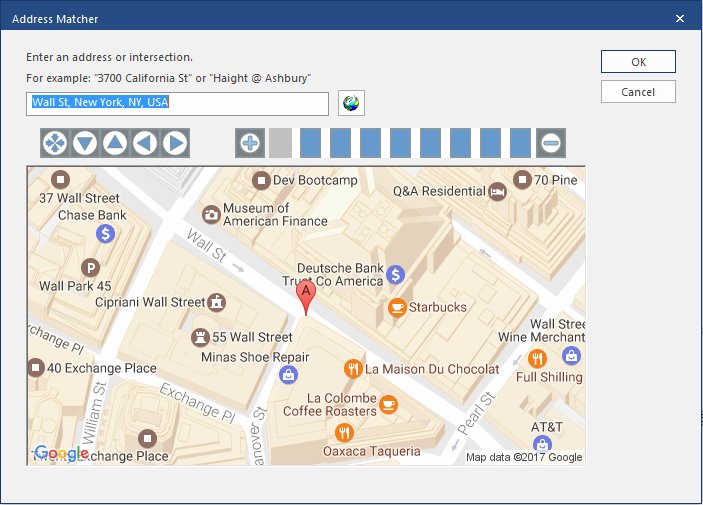
- Select OK.
- Select Save.