Viewing Employee Vehicle History
Vehicles that employees have driven and the dates they drove are available in the Employee Profile screen.
- Open the Employee Profile screen and set the Context (F3).
-
Select an employee and then Vehicle History.
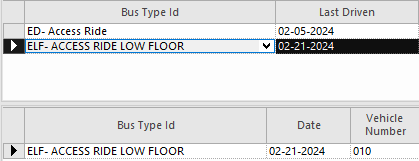
The top pane shows the vehicle types the operator has driven in the specified period. Select a record to see a detailed list of vehicles of that type driven during the period.