Viewing Employee Pay Rate Histories
View employee pay histories in the Employee Profile screen (they can't be created or modified in this screen).
- Open the Employee Profile screen and set the Context (F3).
- Select an employee.
-
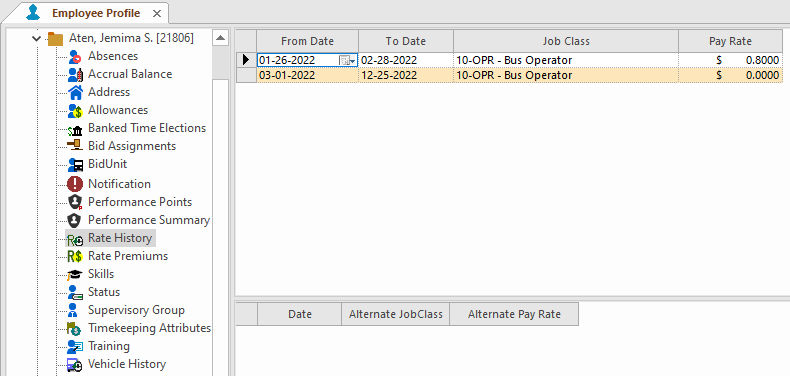
Select Rate History.
The top pane shows pay rate for work in the employee's division's default job class. The bottom pane shows the employee's pay rate when assigned to work in other job classes, if applicable.