
Resuming Selected Canceled Trips in a Piece of Work
If only some trips were canceled in a piece of work, some or all of the canceled trips can be resumed.
- Open the Daily Activity screen and set the Context (F3).
- Selected the canceled work to resume.
-
Select Cancel or Resume Service:

-
Select Resume Trips.
The Resume Trips dialog appears. The Canceled Trips pane shows canceled trips in the piece of work.
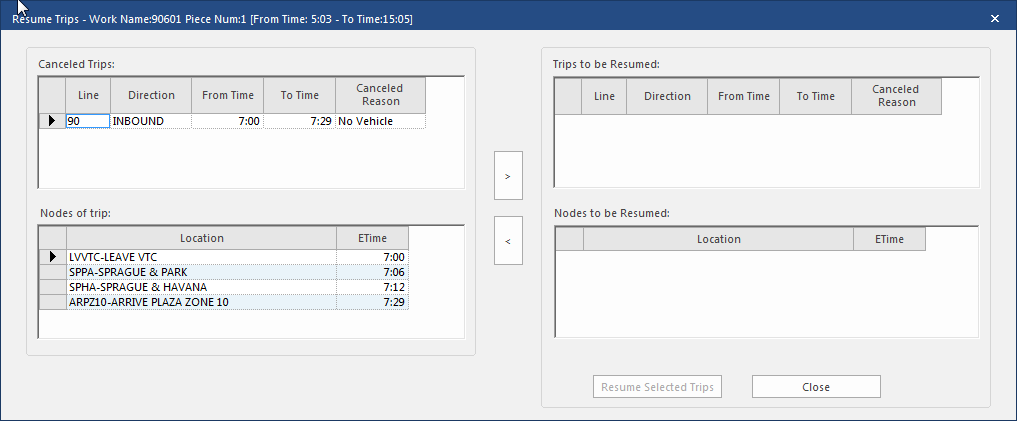
- Optional: To see a trip’s locations and times, select the trip in the Available Trips pane. Trip locations and times appear in the Nodes of Trip pane.
- In the Canceled Trips pane, select the trip or trips to resume.
- Select the right arrow (>) button. The selected trip or trips move to the Trips to be Resumed pane.
- Select Resume Selected Trips.