
Editing a Booking in Booking Wizard
In Booking Wizard, you can go back and make changes to the booking before scheduling it.
Before you begin
Procedure
-
In the Bookings grid, right-click the booking and select Edit
Booking from the pop-up window.
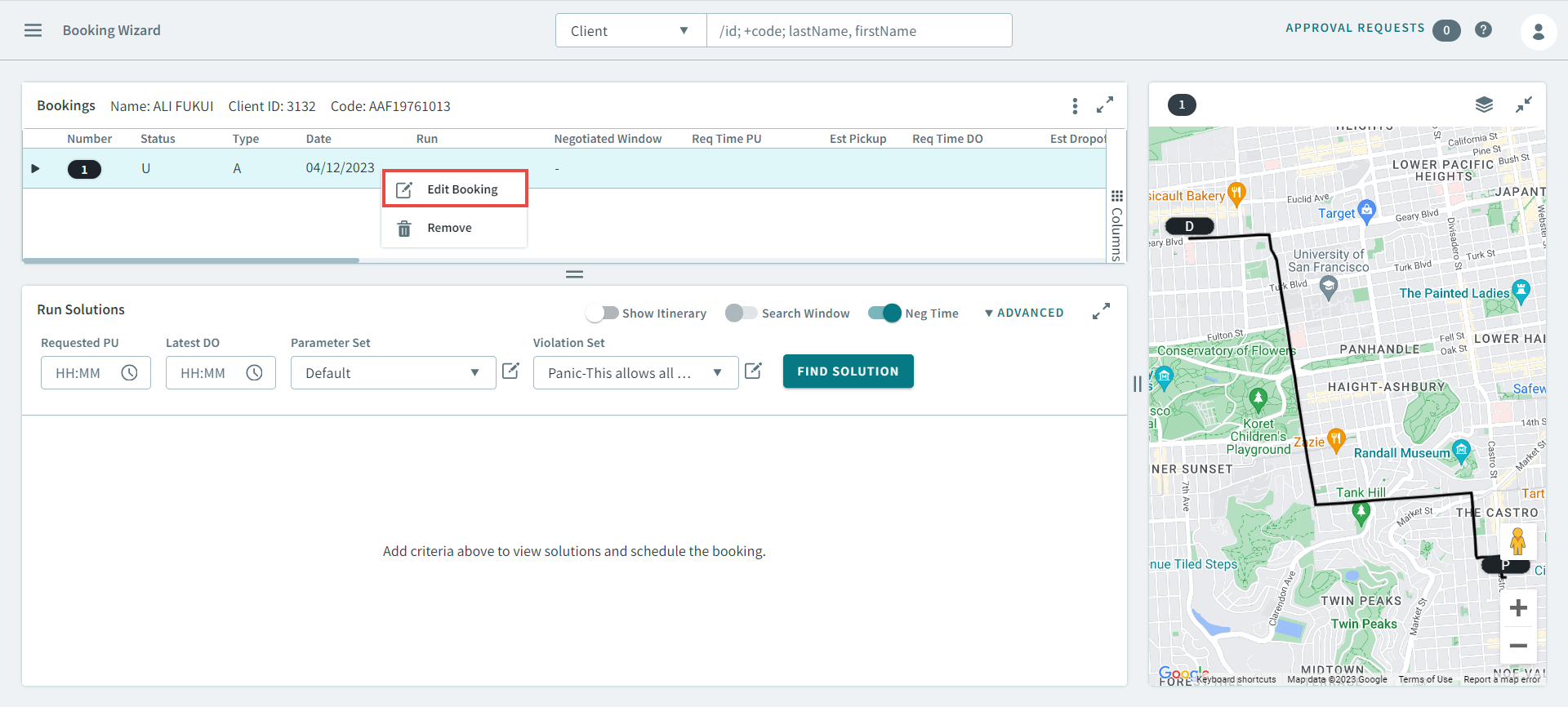
The booking opens in the Client's Bookings page.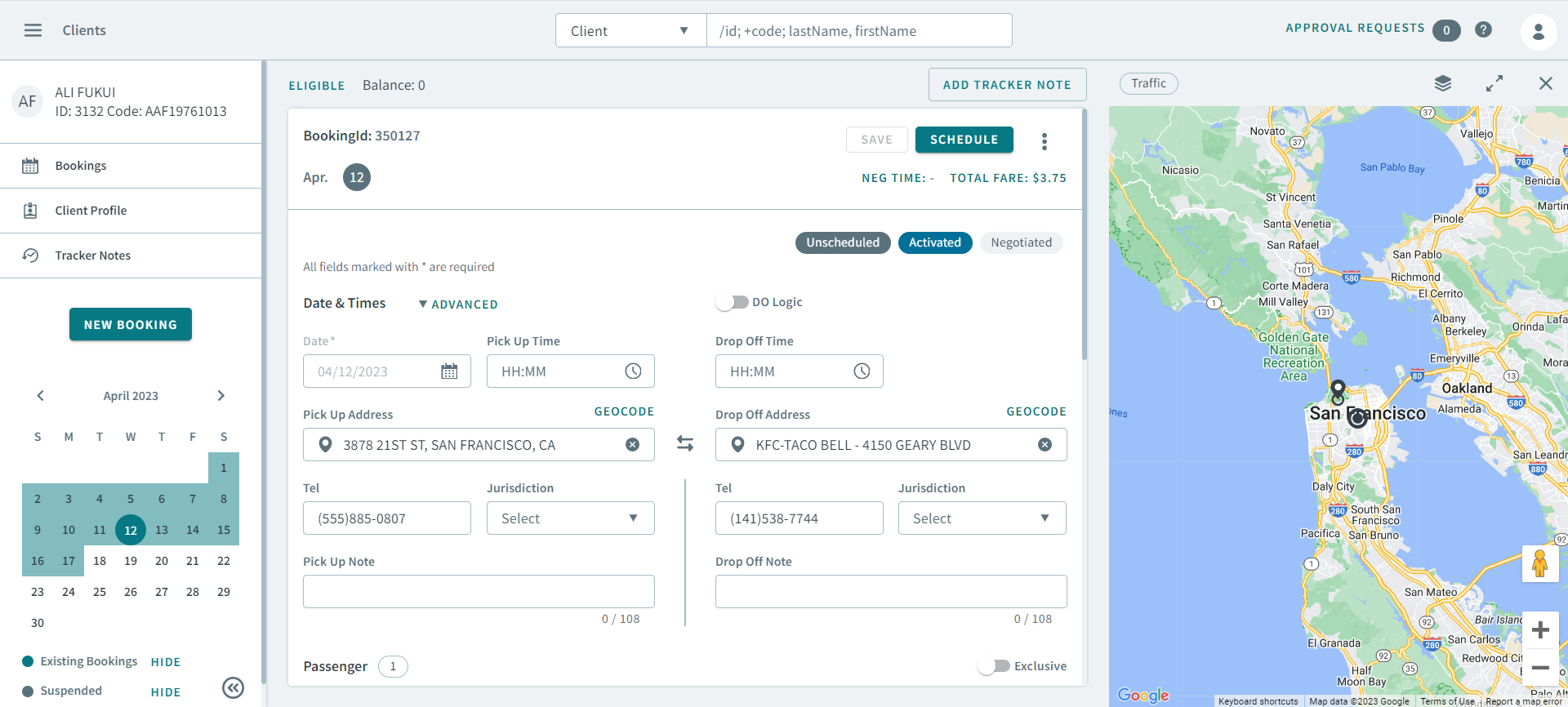
- Make the necessary changes to the booking.
- Click Schedule to go back to Booking Wizard.