
Opening a Booking in Booking Wizard
For convenience, you can open the Booking Wizard page directly from a booking in the Bookings page or directly from client profile's saved bookings.
Procedure
You can open a booking into Booking Wizard with the
following methods:
- With a client profile open, click Bookings from
the side pane to display the client's previously saved bookings, then
right-click a booking and select Schedule from the
pop-up window.
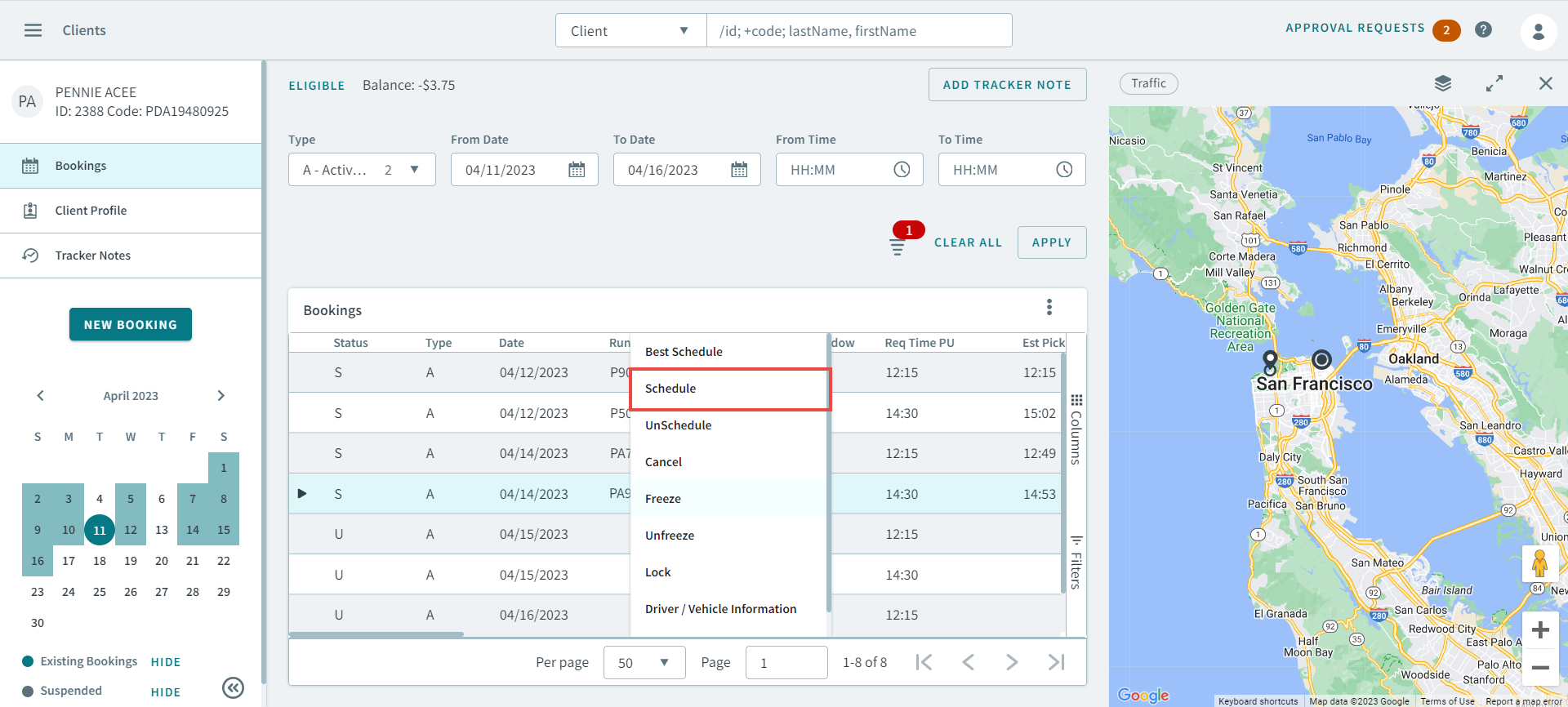 Note:If a client has no booking history, you must schedule it in Booking Wizard by creating a new booking first.
 - In the Bookings page, find a booking you want to
schedule, and then right-click the booking and select Schedule from the
pop-up window.
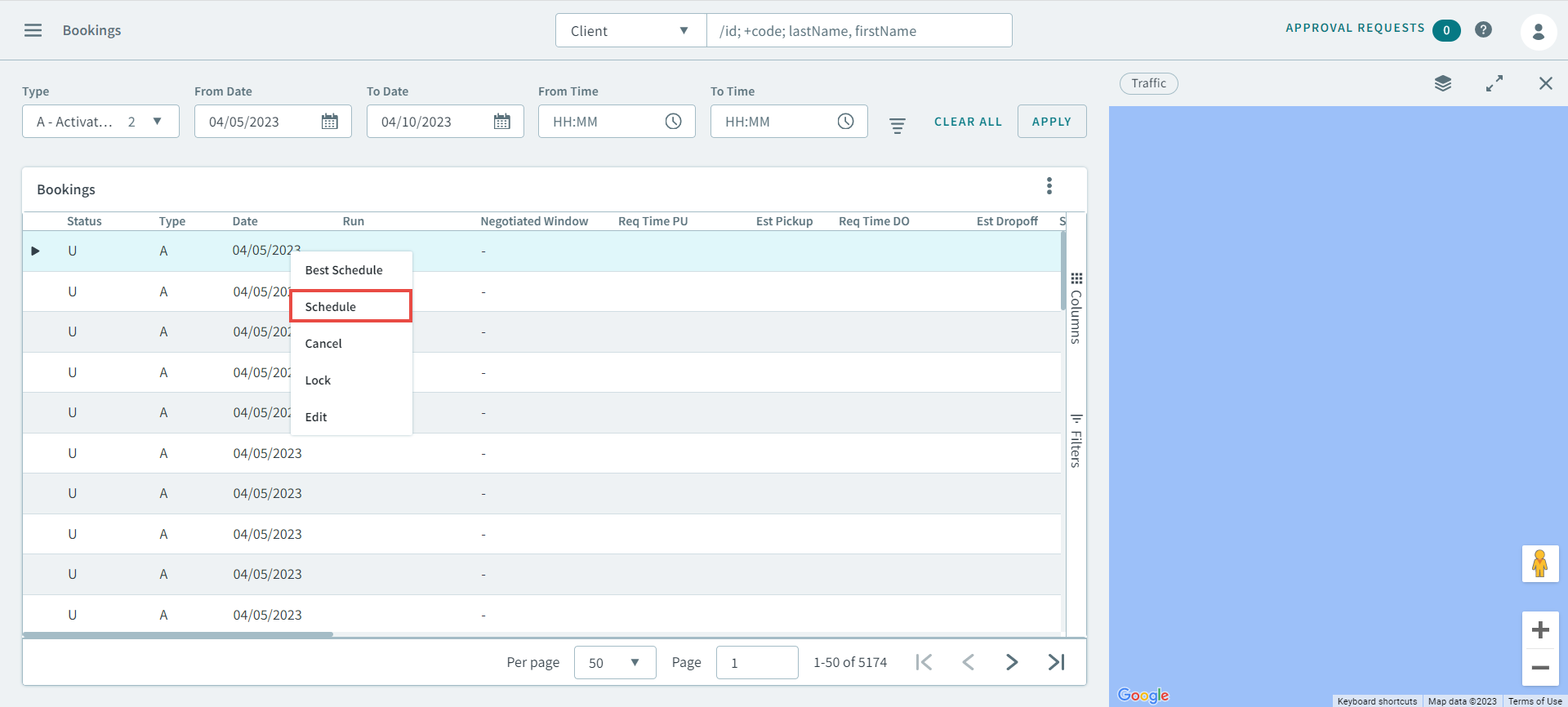
The booking opens in Booking Wizard.