
Scheduling a booking in Booking Wizard
In Booking Wizard, schedule your booking by using Run Solutions to find different scheduling options.
Before you begin
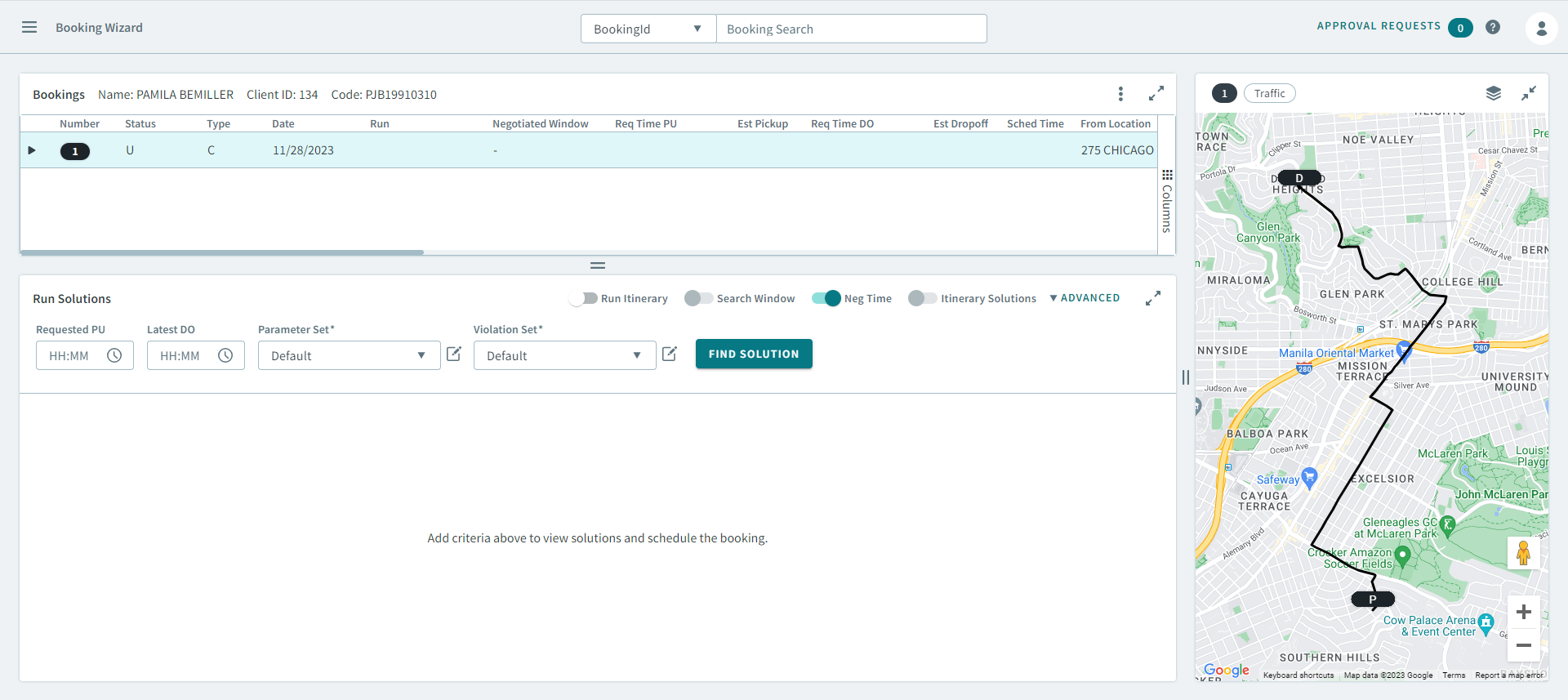
Procedure
- Optional:
In the Run Solutions grid, turn the following toggles
ON:
- Run Itinerary
- NegTime
-
Click Find Solutions.
Run solutions appear in the grid.
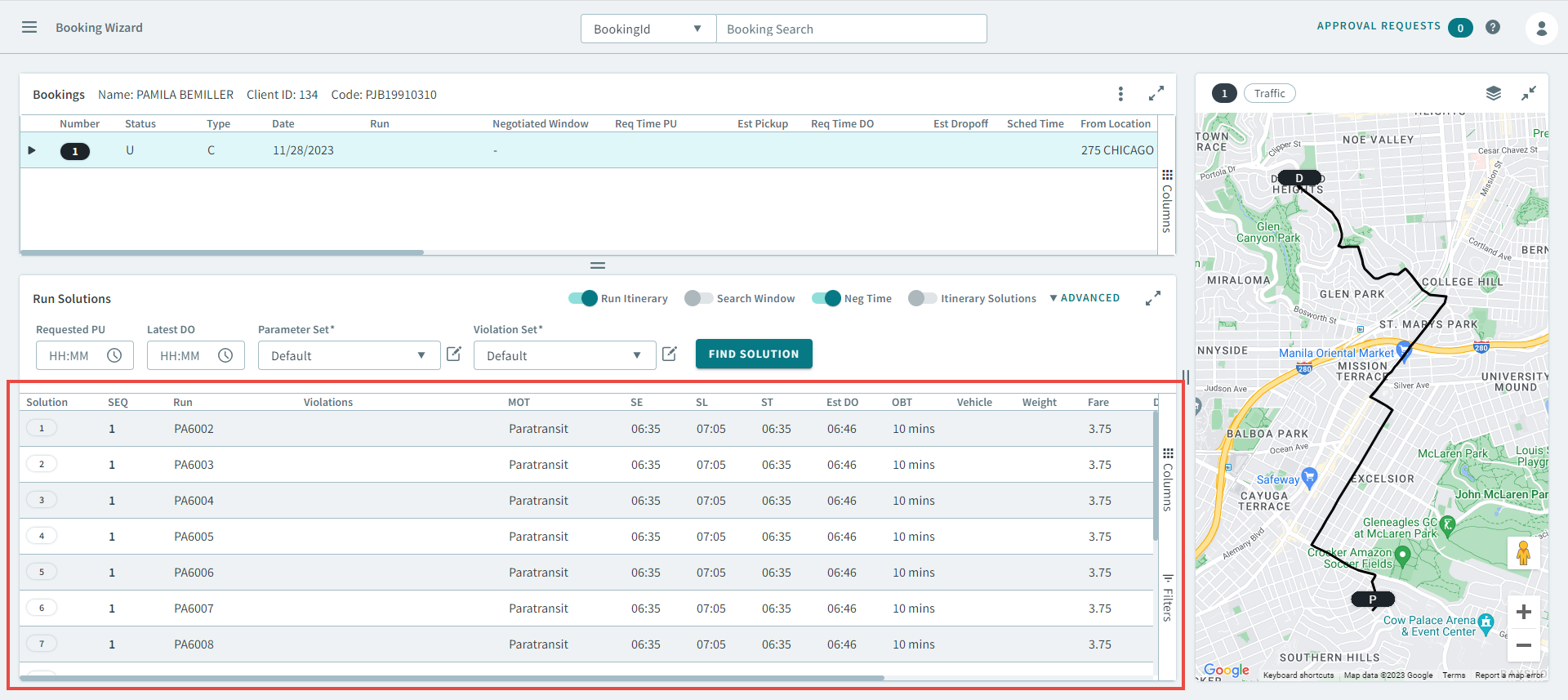
-
From the list of solutions, select a run solution.
The run itinerary opens and is also displayed on the map.
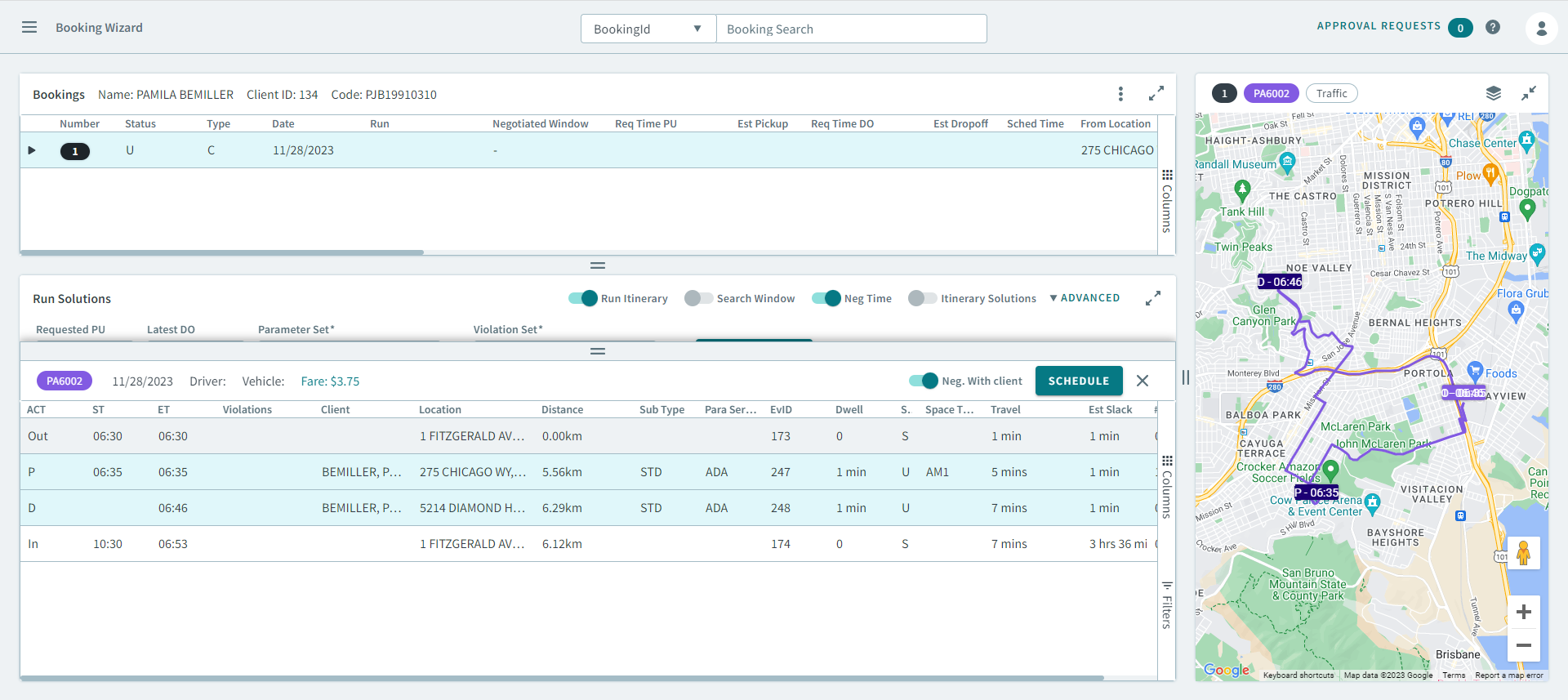
-
Click Schedule.
The booking is scheduled.