
Unlinking Bookings from a Client Itinerary
You can remove the linked bookings from a Client Itinerary.
Before you begin
Procedure
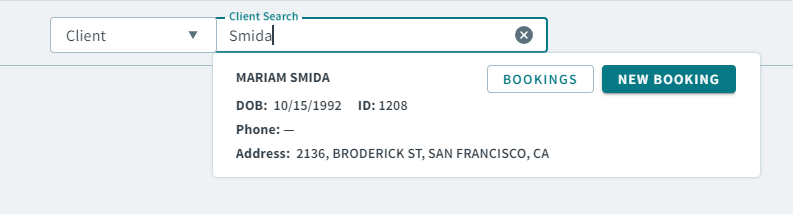
- Type a client name or client ID in the Global Search Bar.
-
When your client search result appears, click Bookings
in the client card result.
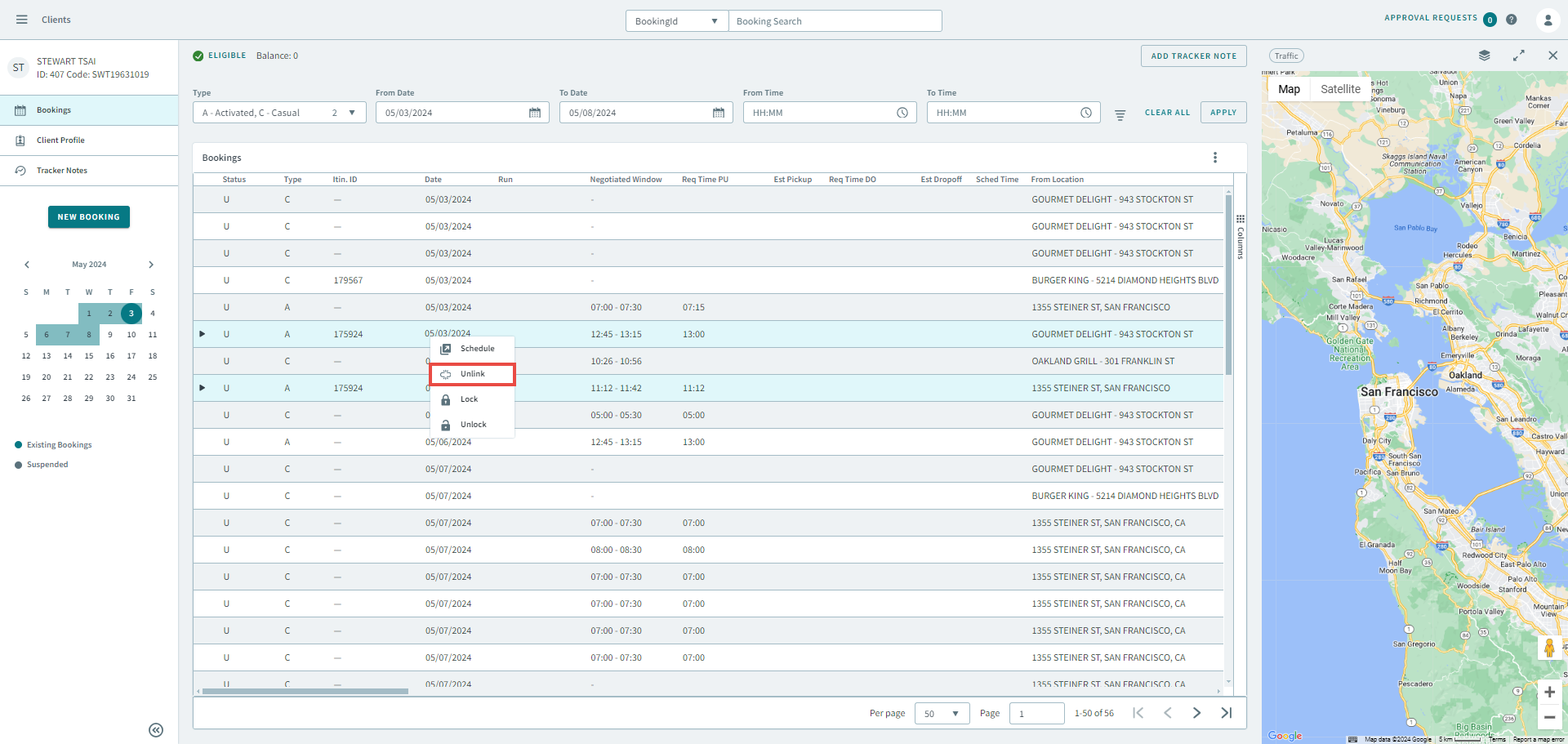
- In the Bookings grid, hold Ctrl on your keyboard and select the bookings that you want to unlink.
-
Right-click the grid and in the shortcut menu, select
Unlink.
The Unlink Bookings popup window opens.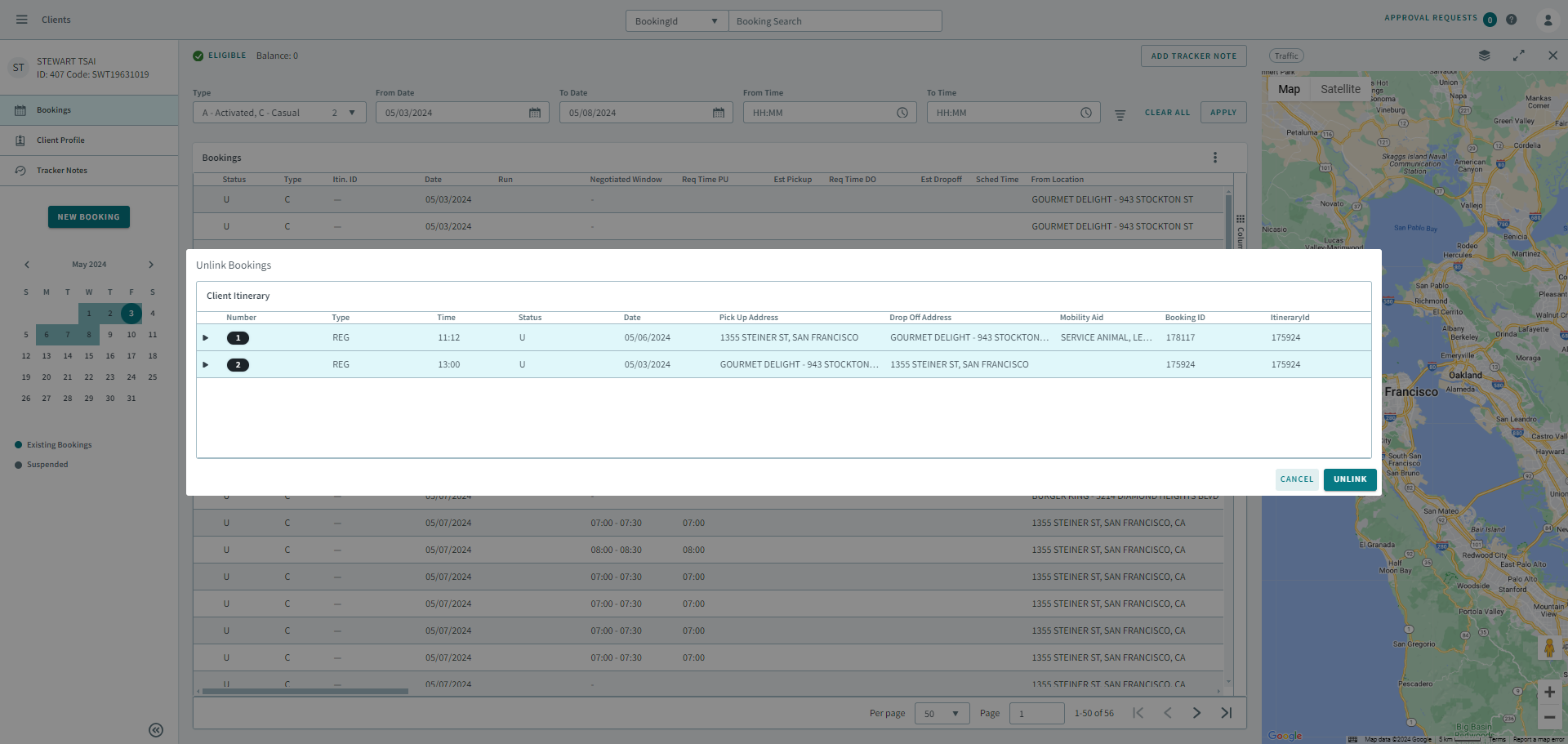
-
Click Unlink.
The bookings are unlinked. The itinerary IDs are removed in the Itin. ID column.