
Viewing Open Work
Set a filter in the Daily Activity screen Context to only see open work.
-
Open the Daily Activity screen and set the Context
(F3).
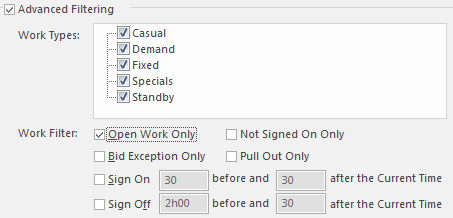
- On the Work tab, select Advanced Filtering.
-
Select Open Work Only.
- Select OK.