
Adding Certifications
If certifications are a set, a client must meet the requirements, sometimes within a specific area, to be able to use a paratransit service.
Before you begin
A client profile must be open.
About this task
Procedure
-
In a client profile, click the Certification tab.
The Certification tab opens.
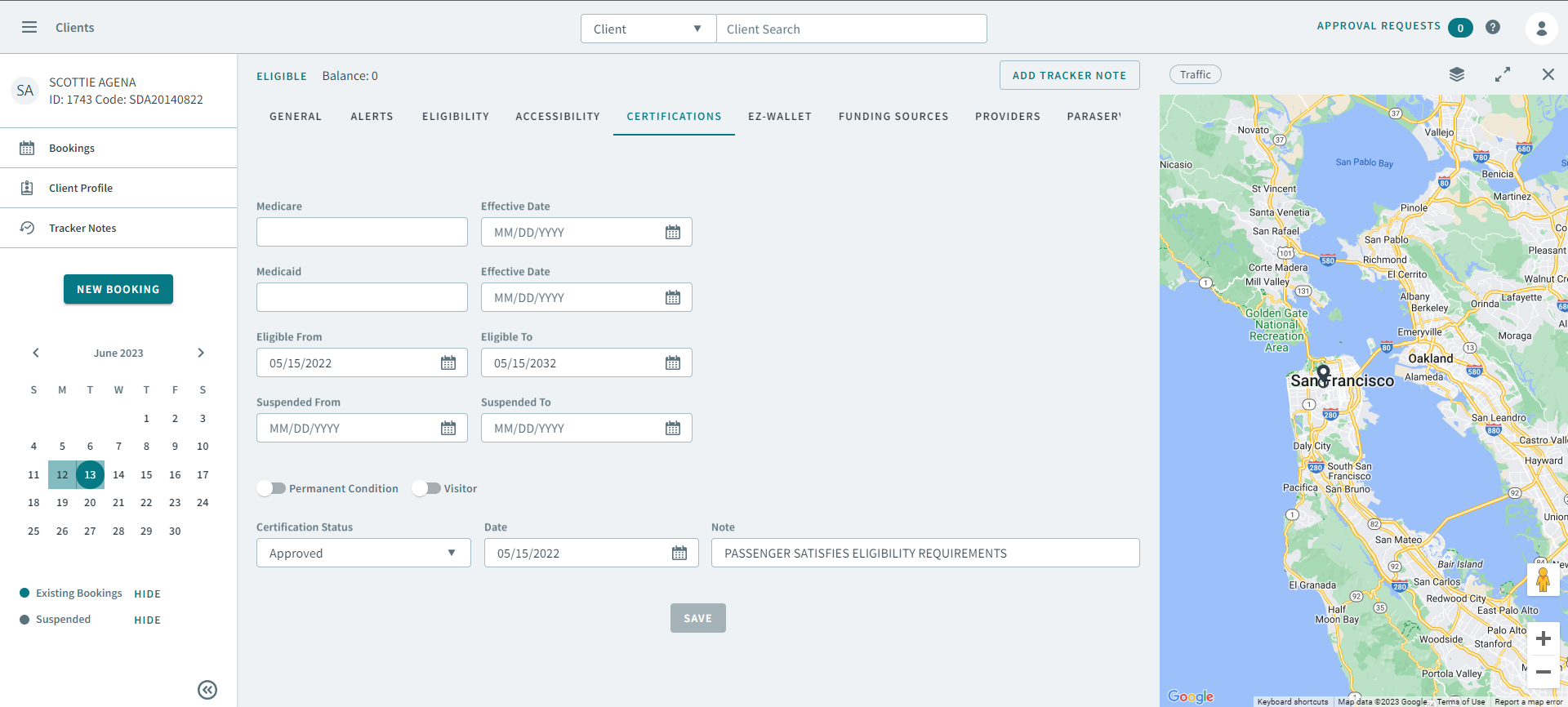
- Type a provider in the Medicare box, and type or select a date in Effective Date.
- Type a provider in the Medicaid box, and type or select a dates in Effective Date.
- Type or select a date in Eligible From and Eligible To.
- Type or select a date in Suspended From and Suspended To.
- Turn the Permanent Condition and Visitor toggle ON.
- Select a status in the Certification Status dropdown list, and type or select a date from Date.
- Type information in Note
- Click Save.