
Adding Access Levels to Missing Columns
Add access level information for incident columns as needed.
-
On the OPS Incident Column Groups ancillary data screen,
select Add Missing Columns:

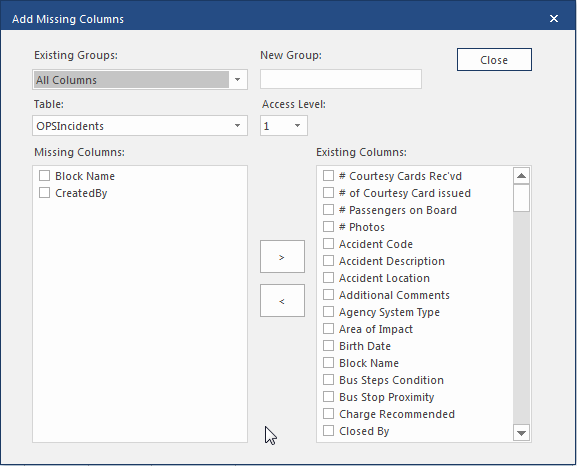
- In New Group, enter the name of the new incident column group.
- Select the Table for the group.
- Select the Access Level.
- From the Missing Columns list, select the columns to add.
-
Select the > button.
Columns are added to the Existing Columns list.
- Repeat the process starting at step 3 until all the tables are done.
- Select Close.