
Adding Employees to Supervisory Groups
Assign groups of employees to supervisors as needed.
- Open the Employee Supervisory Groups screen.
- Set the Context (F3) by selecting the Agency to update.
- In the upper pane, select the Supervisory Group for the employees.
-
Click in the lower pane and select Add Employee to
Group:
 The Select Employees dialog appears.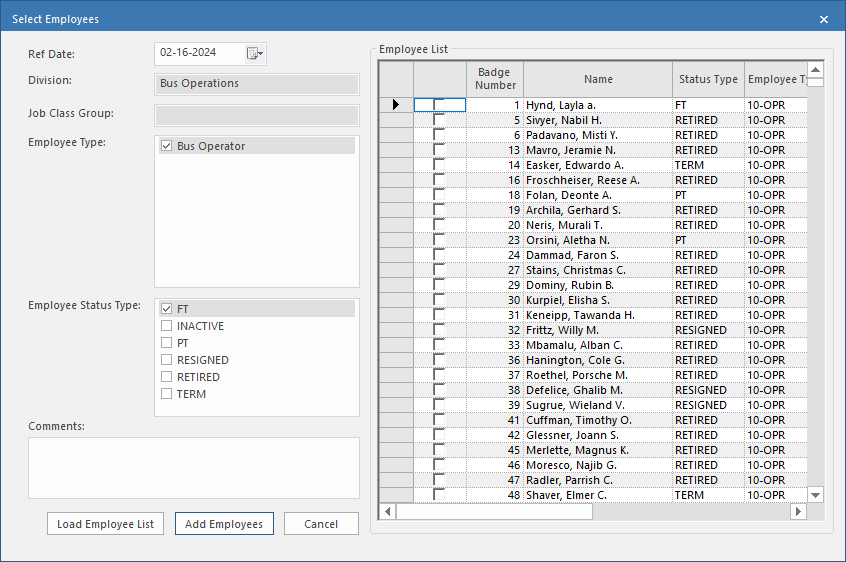
- Select the Ref Date as of which to find employees.
- Select the Employee Type and Employee Status Type for the employees.
-
Select Load Employee List.
The Employee List pane shows matching employees.
- Select the employees to add.
- Optional: Add Comments.
- Select Add Employees.