Defining Certification Equivalencies
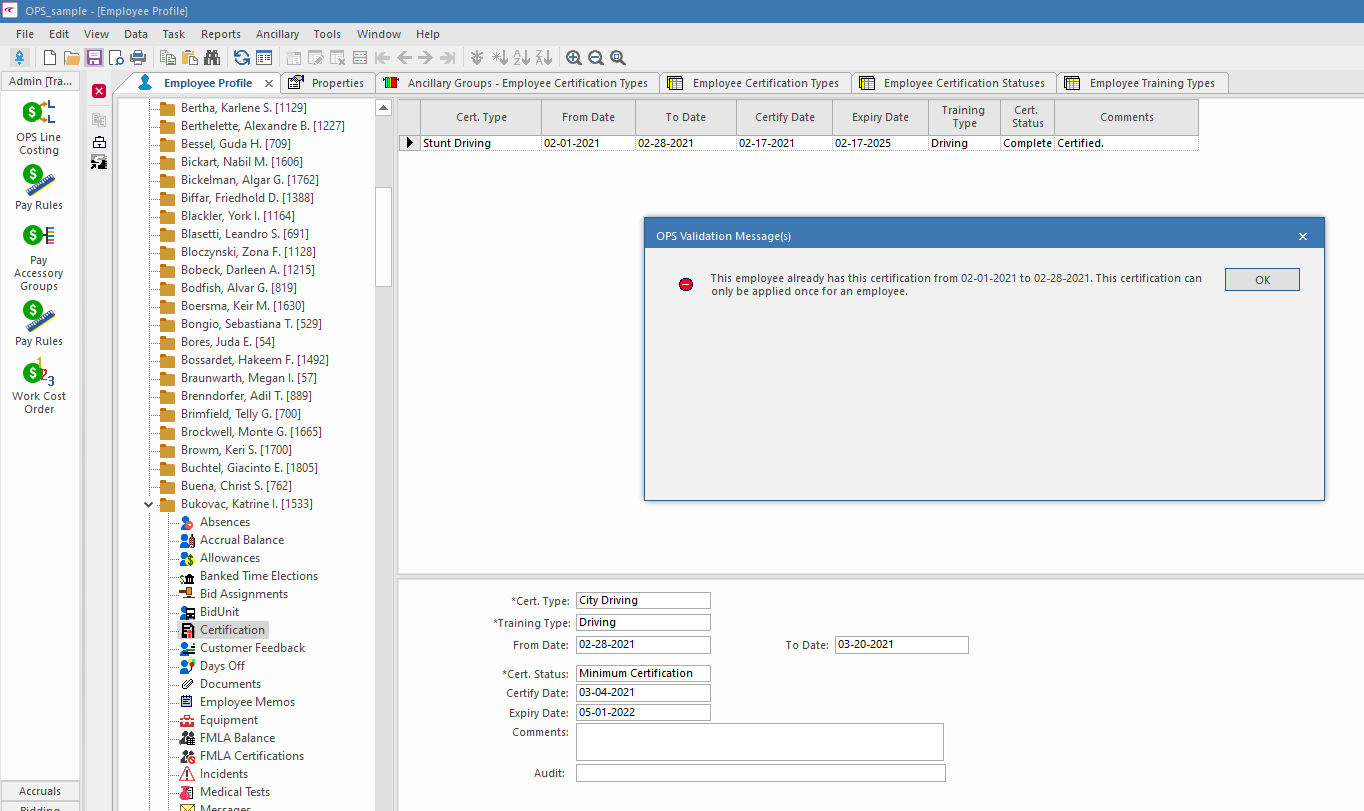
System administrators can define employee certification types so that specific employee certification types can't be added to an employee record when an equivalent certification type already exists.
-
In the Employee Certification Types ancillary data screen,
define as many Cert. Types as needed.
Employee Training Types ancillary data must be defined before Employee Certification Types ancillary data can be defined.
-
In the Ancillary Groups screen, do the following:
- Set the Context (F3) to Employee Certification Types and select OK.
- Create a Group for the certifications that are considered equivalent.
- Save the record and refresh the screen (F5).
- Select the new record.
- Select Active for any Employee Certification Types to be included in the new ancillary group.
- Save the record.
-
In Properties, do the following:
-
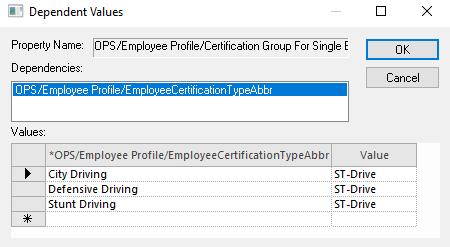
Create dependency records for any other employee certification
types.
For example, if there are three employee certification types in an ancillary group and only one of the certification types can be used at any time, create dependency records for all three employee certification types defined in the ancillary group.
-
Create dependency records for any other employee certification
types.